Consolidating Multiple Security Monitoring Tools: 8 Platforms Compared
- 18 minutes to read
Table of Contents
TL;DR: Reducing security monitoring complexity means consolidating scattered tools onto fewer platforms that share one data set and one console. Exabeam New-Scale Fusion is best for teams adding behavioral analytics to an existing SIEM, Microsoft Sentinel fits Microsoft-heavy estates, Splunk Enterprise Security fits large hybrid environments, and Cortex XSIAM fits automation-led SOCs.
Why Is It So Complex to Manage Multiple Security Monitoring Tools?
Reducing the complexity of managing multiple security monitoring tools requires consolidating platforms and automating workflows to eliminate fragmented “tool sprawl.” There are inherent differences in how each tool operates, the data they collect, and the way they present information. Security teams must adapt to various user interfaces, configuration settings, and alerting mechanisms, which increases the likelihood of errors or missed threats.
The more tools in the environment, the steeper the learning curve for analysts, leading to inefficiencies and longer response times when addressing incidents. Additionally, multiple tools often generate overlapping or redundant data, complicating efforts to achieve a unified view of the organization’s security posture.
Key strategies for reduction of security monitoring complexity:
- Assess the existing security tool stack: Inventory tools, map their functions and dependencies, and identify redundant or underused capabilities.
- Consolidate overlapping security tools: Replace duplicate products with broader platforms that cover multiple monitoring and response functions.
- Centralize security visibility: Aggregate events, alerts, and telemetry into a unified console for faster investigation and reporting.
- Automate alert correlation and prioritization: Group related alerts, suppress noise, and rank incidents based on risk and context.
- Integrate security data: Normalize and connect telemetry across endpoints, networks, cloud systems, identities, and applications.
- Standardize security workflows: Define consistent playbooks for triage, investigation, escalation, and response across the security team.
The Challenges of Managing Multiple Security Monitoring Tools
Fragmented Security Visibility
Fragmented security visibility is a direct consequence of relying on multiple, uncoordinated monitoring tools. Each tool typically offers a limited view into specific aspects of the environment, such as endpoints, networks, or cloud workloads. Without seamless integration, security teams must manually aggregate and interpret data from each tool to construct a holistic understanding of threats and vulnerabilities. This manual process is time-consuming and susceptible to human error, which can lead to blind spots in the organization’s security defenses.
The lack of centralized visibility makes it difficult to track attack chains that span multiple domains or systems. For example, an attacker may exploit a vulnerability detected by one tool, move laterally across the network unnoticed by another, and exfiltrate data monitored by yet a third tool. If these tools don’t communicate or share context, security analysts can miss the full scope of an incident, delaying response and remediation efforts. Over time, these gaps erode overall security effectiveness.
Alert Fatigue
When organizations deploy multiple security monitoring tools, each solution generates its own stream of alerts, many of which may be redundant or low priority. This flood of notifications quickly leads to alert fatigue, where security analysts become desensitized to the sheer volume of messages. As a result, critical alerts may be overlooked, and response times can suffer, leaving the organization vulnerable to threats that require immediate attention.
Alert fatigue also diminishes the morale and effectiveness of security teams. Constantly sifting through irrelevant or duplicate alerts increases stress and burnout among analysts. Over time, this can lead to higher staff turnover and a decrease in overall security posture. Organizations must address alert fatigue by improving alert quality, prioritizing actionable intelligence, and reducing noise, or risk undermining their incident response capabilities.
Related content: Read our article about SIEM alerts
Increased Operational Workload
Managing multiple security monitoring tools significantly increases the operational workload for IT and security teams. Each tool requires its own deployment, configuration, and maintenance, demanding specialized expertise and ongoing attention. Routine tasks such as updating software, managing licenses, and troubleshooting issues become more complex as the number of tools grows, stretching already limited resources thin.
The fragmented tool landscape also complicates incident investigation and reporting. Analysts must switch between different dashboards and data sources to piece together an accurate timeline of events. This context switching not only slows down investigations but also increases the risk of missing key details. The cumulative effect is a less agile, more reactive security operation that struggles to keep pace with evolving threats.
Integration and Compatibility Problems
Integration and compatibility issues are common when organizations use multiple security monitoring tools from different vendors. Many tools are not designed to work seamlessly with others, leading to challenges in data sharing, automation, and workflow orchestration. Security teams often resort to manual processes or custom scripts to bridge gaps, which can introduce new vulnerabilities and increase operational risk.
Compatibility problems also hinder the adoption of new technologies and the scaling of security operations. When tools cannot exchange data or automate responses effectively, organizations are forced to maintain siloed systems that are costly and inefficient. This lack of interoperability can delay threat detection, limit the effectiveness of security investments, and make it difficult to adapt to changing business needs or regulatory requirements.
Strategies for Reducing Security Monitoring Complexity
1. Assess the Existing Security Tool Stack
The first step in reducing complexity is to perform a thorough assessment of the current security tool stack. Organizations should inventory all monitoring tools in use, identifying their core functionalities, areas of overlap, and the security gaps they address. This process helps teams understand which tools are essential and which may be redundant or underutilized. Clear documentation of each tool’s purpose and integration points is critical for informed decision-making.
During the assessment, organizations should also evaluate how well each tool aligns with business objectives and compliance requirements. This includes:
- Reviewing vendor support
- Update cycles
- Integration capabilities
Engaging stakeholders from different departments ensures that all perspectives are considered, revealing hidden dependencies and opportunities for optimization.
2. Consolidate Overlapping Security Tools
After assessing the existing tool stack, organizations should look to consolidate tools with overlapping functionalities. Reducing the number of redundant solutions simplifies operations, simplifies training, and lowers licensing and maintenance costs. Consolidation also decreases the number of data sources security teams must monitor, making it easier to maintain a clear and accurate view of the organization’s security posture.
Selecting multifunctional security platforms that cover a broad range of threats can further enhance efficiency. When choosing which tools to retain, organizations should prioritize solutions that offer:
- Strong integration
- Scalability
- Comprehensive support
3. Centralize Security Visibility
Centralizing security visibility involves aggregating data from all monitoring tools into a unified dashboard or security information and event management (SIEM) system. This approach provides security teams with a single, comprehensive view of all security events, reducing the need to manually correlate information across disparate platforms. Centralized visibility improves situational awareness, enabling faster detection and response to threats.
By leveraging centralized dashboards, organizations can simplify:
- Reporting
- Compliance tracking
- Incident investigation
Analysts can more easily identify patterns, anomalies, and emerging threats, as all relevant data is accessible in one place. Centralization also supports collaboration among security, IT, and compliance teams.
4. Automate Alert Correlation and Prioritization
Automating alert correlation and prioritization helps security teams manage the flood of notifications from multiple monitoring tools. Advanced security platforms can:
- Ingest alerts from various sources
- Automatically group related events
- Prioritize incidents based on severity and context
This reduces manual triage efforts and ensures that analysts focus on the most critical threats first. Automation also improves response times and reduces the risk of human error. By leveraging predefined rules and machine learning, automated systems can filter out false positives and escalate only high-priority alerts. This approach enables security teams to scale their operations without proportionally increasing headcount.
5. Integrate Security Data
Integrating security data from different tools is essential for building a unified threat intelligence framework. Effective data integration allows organizations to correlate indicators of compromise across multiple domains, improving detection accuracy and response coordination. Integration can be achieved through:
- APIs
- Data lakes
- Security orchestration platforms
These tools standardize and normalize information from various sources. Seamless data integration also enables automated workflows and advanced analytics. With a consolidated dataset, organizations can apply machine learning and behavioral analytics to uncover hidden threats and predict potential attacks.
6. Standardize Security Workflows
Standardizing security workflows ensures that all team members follow consistent procedures for:
- Incident detection
- Investigation
- Response
By defining clear processes and playbooks, organizations can reduce variability in how security events are handled, improving efficiency and accountability. Standardized workflows also support training and onboarding of new analysts, ensuring a uniform level of competence across the team.
Workflow standardization supports automation by making it easier to map manual tasks to automated processes within security orchestration platforms. This accelerates response times and reduces the risk of errors and omissions during high-pressure incidents.
Related content: Read our article about SOAR
How Security Platforms Can Help Reduce Tool Complexity
Security platforms reduce tool complexity by combining functions that would otherwise require separate products, such as SIEM, SOAR, UEBA, XDR, threat intelligence, and case management. A shared data layer lets these capabilities use the same normalized telemetry and security context. Analysts can investigate incidents, correlate activity across domains, and trigger response actions without repeatedly moving data or switching between consoles.
Consolidation does not require every existing security product to be replaced. Platforms can ingest telemetry from endpoint, identity, cloud, network, and third-party tools through connectors, APIs, and federated search. This allows organizations to centralize visibility and workflows while retaining specialized tools where they still provide value. Over time, redundant capabilities can be retired as the platform takes over their monitoring, analytics, or response functions.
Platforms can help by:
- Centralizing telemetry: Collecting endpoint, identity, network, cloud, and application data in one place.
- Correlating alerts across tools: Linking related events into incidents instead of presenting analysts with separate alerts from each product.
- Providing a single investigation interface: Giving analysts one console for search, investigation, case management, and response.
- Automating repetitive workflows: Handling enrichment, triage, notification, containment, and other routine response steps automatically.
- Normalizing security data: Converting different log formats and schemas into a consistent structure that analytics and detections can use.
- Reducing duplicate capabilities: Replacing overlapping products with built-in monitoring, analytics, automation, or response functions.
- Integrating existing tools: Using connectors, APIs, and federated search to retain specialized products while managing their data through a common platform.
- Standardizing detection and response: Applying consistent rules, risk scoring, playbooks, and escalation processes across the environment.
Security Monitoring Platforms at a Glance
The table below summarizes the key differences between the platforms covered in this section. We explore each of them in more detail below.
| Category | Solution | Best For | Key Strengths | Things to Consider |
| Unified SIEM and Security Analytics Platforms | Exabeam New-Scale Fusion | Adding behavioral analytics to an existing SIEM | Normalized ingestion, 1,000+ integrations, AI agents | Search and parsing setup can require tuning |
| Unified SIEM and Security Analytics Platforms | Splunk Enterprise Security | Large hybrid estates needing SIEM, SOAR, and UEBA in one | Risk-based alerting, federated search, detection lifecycle | High cost and expert-led implementation |
| Unified SIEM and Security Analytics Platforms | Microsoft Sentinel | Microsoft-heavy estates consolidating SIEM and XDR | 400+ connectors, built-in data lake, SOAR and UEBA | Configuration depth and interface navigation |
| Unified SIEM and Security Analytics Platforms | Google Security Operations | Teams merging SIEM, SOAR, and threat intelligence | Curated detections, 300+ SOAR integrations, Gemini search | Setup effort, cost, and limited customization |
| Unified SIEM and Security Analytics Platforms | Elastic Security | Open, self-managed or air-gapped consolidation | Automatic Import, federated search, native workflows | Infrastructure upkeep and query language learning |
| AI-Native SOC Platforms | Palo Alto Networks Cortex XSIAM | SOCs replacing several tools with one automated platform | Unified data lake, 13,300+ detections, agentic automation | Resource demands and implementation complexity |
| AI-Native SOC Platforms | CrowdStrike Falcon Next-Gen SIEM | Falcon users folding third-party data into one console | Index-free search, data pipelines, agentic SOAR | Premium pricing and complex ingestion licensing |
| AI-Native SOC Platforms | SentinelOne Singularity Platform | Consolidating endpoint, cloud, and identity monitoring | Shared data layer, single console, third-party ingestion | Tuning of early false positives and support waits |
Notable Security Monitoring Consolidation Tools
How we selected these tools: We shortlisted security monitoring platforms based on their ability to ingest data from many sources, normalize and correlate it in one place, automate triage and response, and connect to tools already deployed in the environment.
Unified SIEM and Security Analytics Platforms
1. Exabeam New-Scale Fusion

Best for: Adding behavioral analytics to an existing SIEM
Strengths: Normalized ingestion, 1,000+ integrations, AI agents
Things to consider: Search and parsing setup can require tuning
The Exabeam New-Scale Security Operations Platform, sold as Exabeam Fusion, unifies cloud-native SIEM, behavioral analytics, and automation in a single console. This design allows security teams to work from a unified dataset rather than moving between disconnected point products. The platform can replace an existing SIEM entirely or run alongside one to provide advanced analytics and incident response automation.
Key features include:
- Ingestion and normalization at scale: Data is ingested, parsed, stored, and searched at scale, normalized using a Common Information Model and enriched at ingestion so it is immediately available for search, investigation, and analytics.
- Prebuilt integrations across existing tooling: Hundreds of on-premises and cloud products are supported through prebuilt integrations, with APIs, syslog, and log aggregators as transport methods, so existing tools connect without changing the environment.
- Behavioral analytics for humans and machines: New-Scale Analytics applies behavioral baselining and dynamic risk scoring to human and non-human entities such as AI agents, and Agent Behavior Analytics extends this to AI agents to surface activity that static rules miss.
- Entity context from other tools: Attack Surface Insights aggregates data from tools already in place to build entity profiles enriched with contextual attributes and relationships, giving analysts one view of users and devices.
- Automation and AI agents: Exabeam Nova agents automate routine and strategic tasks, analyze detections, simplify triage, create case summaries, and automate rule creation and conversion.
- Standards-based workflow integration: TDIR workflows connect to over 1,000 tools through low-code automation and standards-based APIs, and an MCP server extends New-Scale data into external workflows and agentic experiences.
- Federated search and external storage: Data can be routed to third-party storage, and federated searches can run across external data sources.
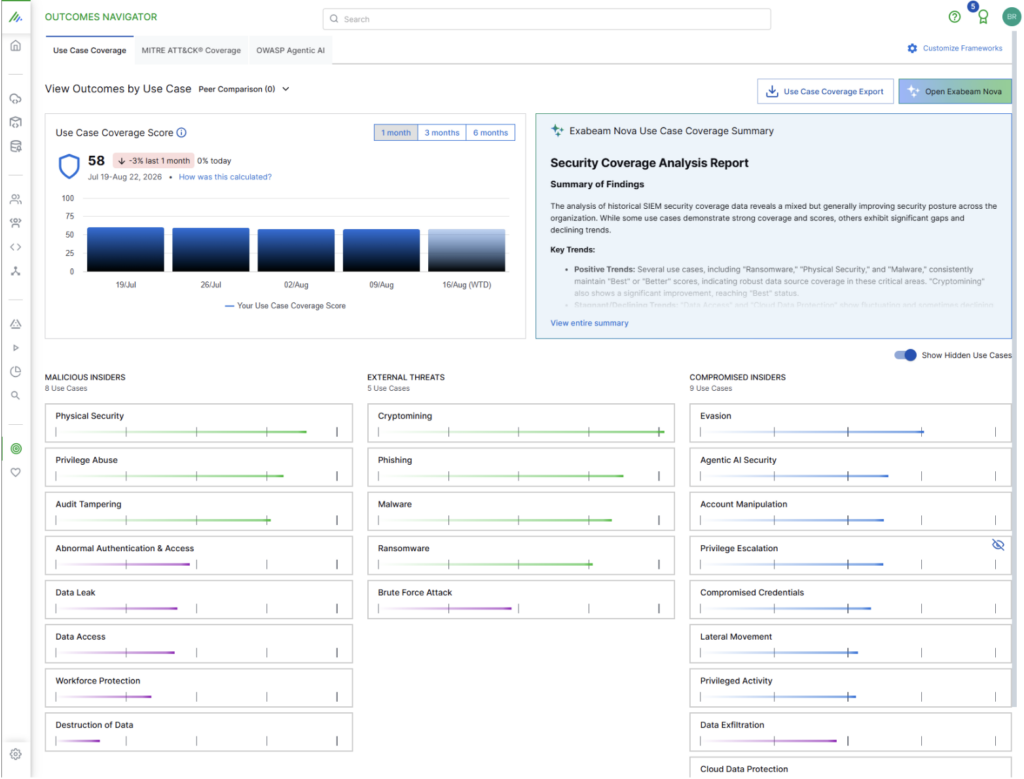
- Coverage mapping: Outcomes Navigator maps ingested data to security use cases, MITRE ATT&CK, OWASP Agentic Top 10, and compliance frameworks like PCIDSS with the Exabeam Nova AI providing recommendations on gaps.
Limitations (as reported by users on G2):
- Cloud search experience: Some users report the cloud search interface is less intuitive than they would like and could be refined.
- Parsing and field mapping: Reviewers note that parsing has room for improvement and that some data field mapping is done manually.
- Documentation depth: A few users would like more detailed product support documentation.
Source: Exabeam
2. Splunk Enterprise Security

Best for: Large hybrid estates needing SIEM, SOAR, and UEBA in one
Strengths: Risk-based alerting, federated search, detection lifecycle
Things to consider: High cost and expert-led implementation
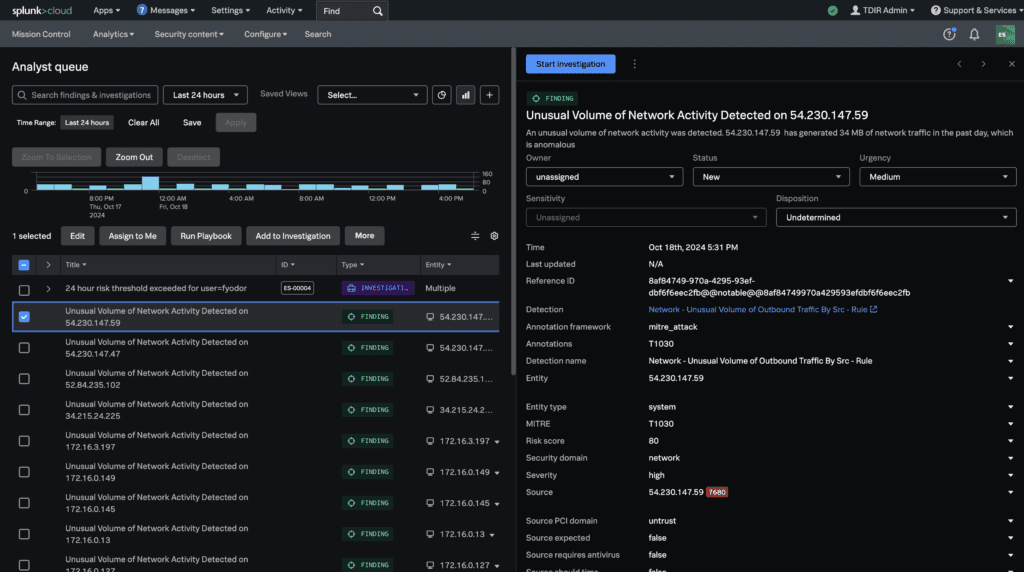
Splunk Enterprise Security is an integrated threat detection, investigation, and response platform that combines SIEM, SOAR, UEBA, and AI capabilities in a single interface. It lets teams manage, search, and analyze data across domains, clouds, and devices regardless of where that data resides.
The platform is sold in two editions. Essentials covers SIEM, threat intelligence, Detection Studio, and Exposure Analytics, while Premier adds SOAR, UEBA, and Automated Threat Analysis.
Key features include:
- Single workspace for detection through remediation: SOC workflows are centralized so analysts move from detection to investigation to response without switching consoles or losing context.
- Risk-based alerting: RBA groups related risk signals to raise fewer, higher-confidence notables, which Splunk states can cut alert volumes by up to 90 percent.
- Built-in SOAR: Splunk SOAR automates security workflows and is available to all SOC roles in the Premier edition rather than being limited to a subset of users.
- UEBA for behavioral detection: Machine learning baselines normal user and entity behavior and flags deviations tied to compromised credentials, account misuse, and lateral movement.
- Detection Studio: Engineers plan, develop, test, deploy, and monitor detections in one lifecycle, with coverage mapped against the MITRE ATT&CK framework.
- Data management and federation: Federated Search and Federated Analytics query data across locations, so security teams reach data without first centralizing all of it.
- Exposure Analytics: Assets and users are continuously identified and security findings are enriched with context for prioritization and reporting.
- Threat intelligence and phishing forensics: Integrated intelligence enrichment includes Cisco Talos at no extra cost, and Automated Threat Analysis breaks down phishing attack chains inside the analyst workspace.
Limitations (as reported by users on G2):
- Cost: Users describe the platform as expensive, which is a particular drawback for smaller organizations.
- Implementation complexity: Initial onboarding is reported as complex and typically requires expert resources and time.
- Extensive setup: Reviewers describe the configuration work as time consuming.
- Learning curve: Newer users report difficulty getting up to speed with the platform.
Source: Splunk
3. Microsoft Sentinel

Best for: Microsoft-heavy estates consolidating SIEM and XDR
Strengths: 400+ connectors, built-in data lake, SOAR and UEBA
Things to consider: Configuration depth and interface navigation
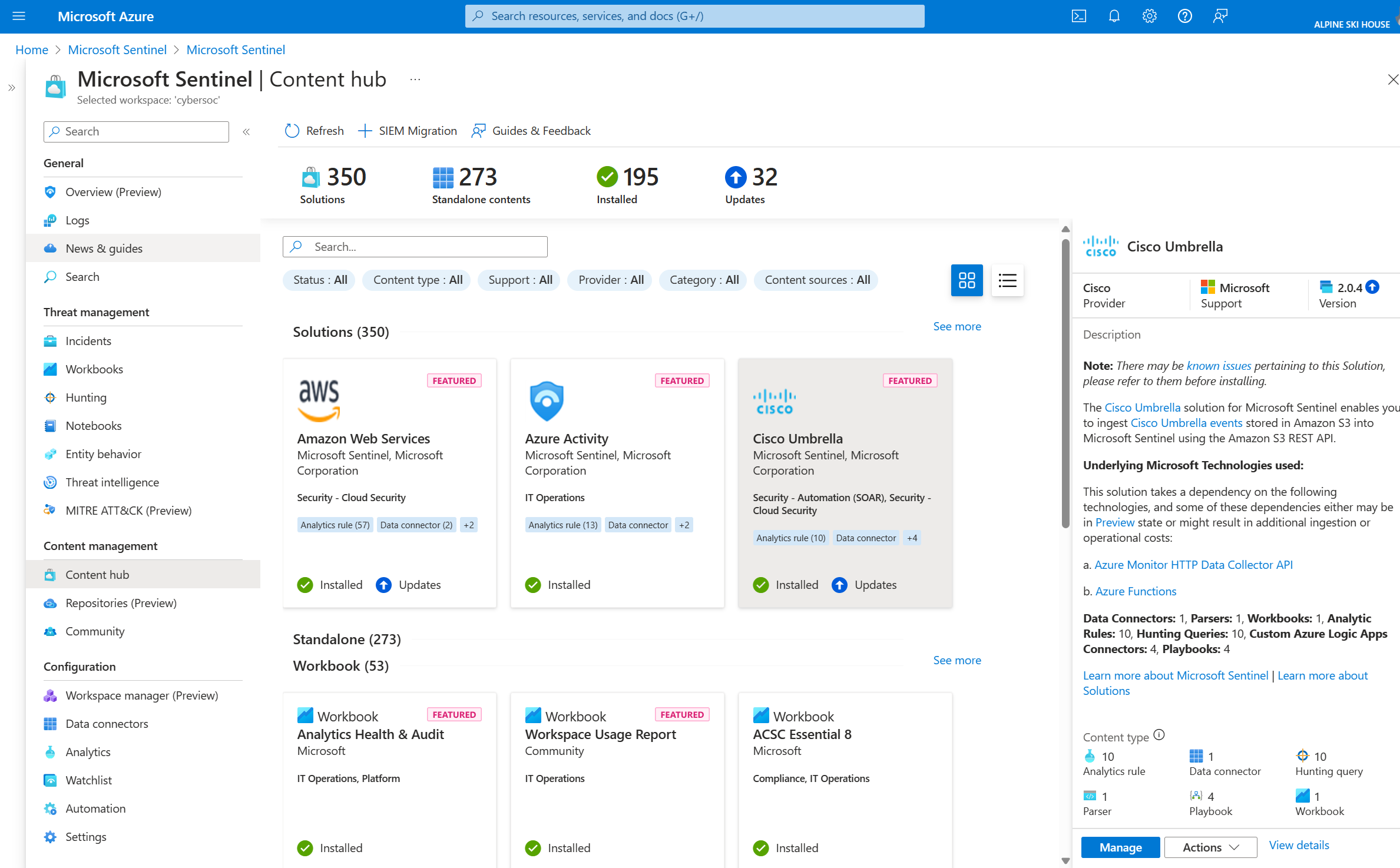
Microsoft Sentinel is a cloud-native SIEM that correlates signals across identities, endpoints, cloud apps, and infrastructure. SOAR, UEBA, threat intelligence, and case management are built in rather than sold as separate modules, and the experience is unified with Microsoft Defender in a single portal.
The platform is aimed at teams that want to reduce the number of moving parts in their monitoring stack. Microsoft positions it against setups where multiple point tools must be stitched together and maintained separately.
Key features include:
- Broad connector library: More than 400 native connectors ingest data from Microsoft Cloud, AWS, Google Cloud, on-premises infrastructure, and third-party security tools, with more than 350 ready-to-use connectors available out of the box.
- Codeless connector framework: Teams build and deploy custom connectors without writing code, which shortens the work of bringing an unusual data source into the SIEM.
- Built-in data lake: Long-term logs are stored and queried cost-effectively in the Sentinel data lake, keeping historical data available for hunting and compliance.
- Native SOAR: Out-of-the-box playbooks and codeless automation handle manual triage steps and orchestrate response.
- Built-in UEBA: Behavior analytics baseline normal activity and flag compromised accounts and insider risk that rule-based detection misses.
- Native XDR integration: SIEM and XDR share one incident workflow inside the Microsoft Defender portal, removing the handoff between the two.
- SOC optimization recommendations: AI-driven recommendations tune rules and surface high-fidelity alerts, and point teams to the next action.
- AI-assisted SIEM migration: A built-in migration tool converts Splunk and QRadar detection rules into native Sentinel detections, with an analysis-only first step that identifies what maps cleanly and which connectors are needed.
- Security Copilot: Incidents are summarized, KQL queries are drafted, and next steps are recommended inside the investigation workflow.
Limitations (as reported by users on G2):
- Complex configuration: Users report that setup and ongoing configuration require advanced technical skills.
- Dependence on in-house expertise: Several reviewers say the platform is difficult to deploy without dedicated security specialists and training.
- Interface navigation: Some users find the interface hard to navigate and struggle to locate features.
- Cloud dependency: Reviewers raise concerns about reliance on connectivity, particularly on low-speed links.

Source: Microsoft
4. Google Security Operations

Best for: Teams merging SIEM, SOAR, and threat intelligence
Strengths: Curated detections, 300+ SOAR integrations, Gemini search
Things to consider: Setup effort, cost, and limited customization
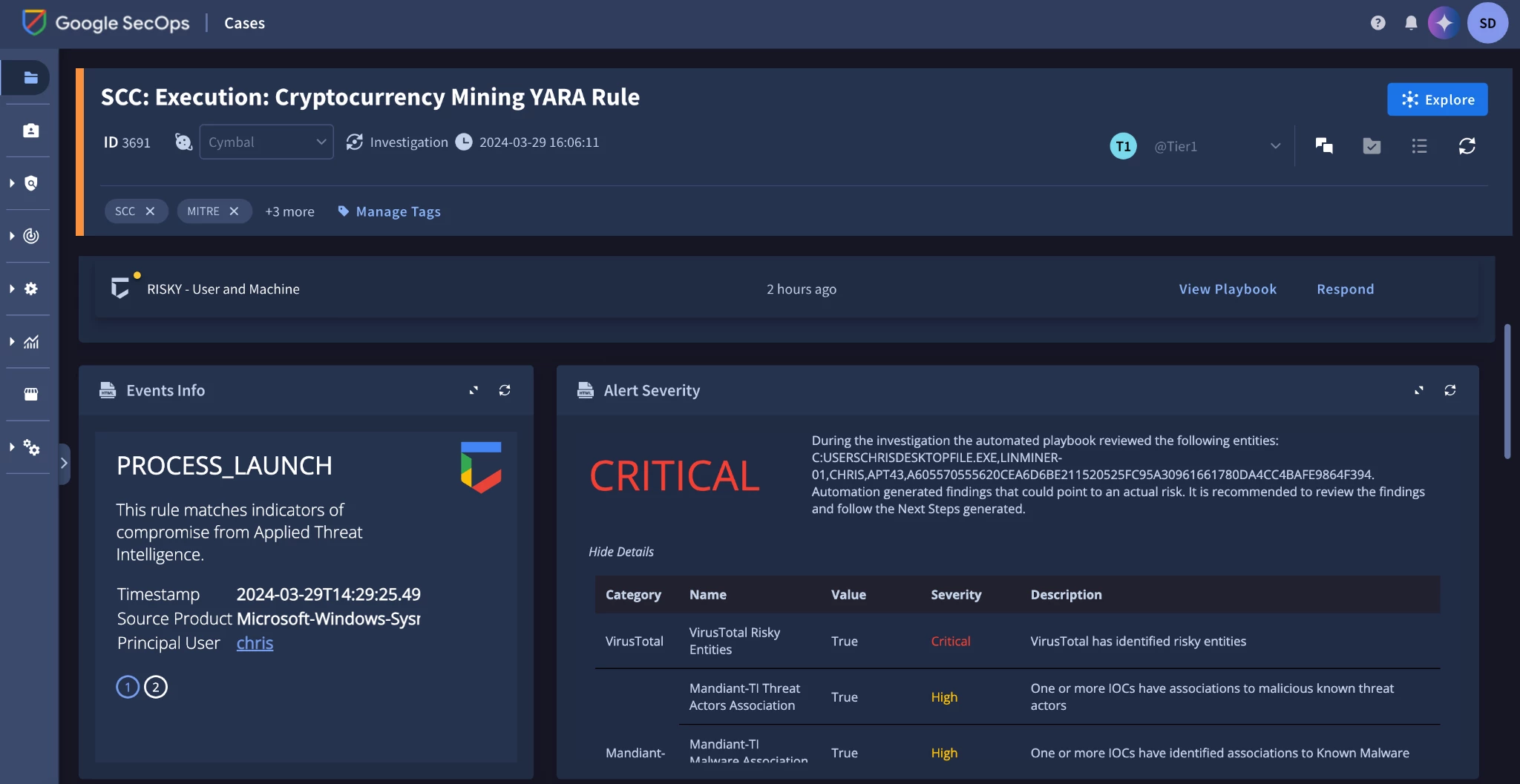
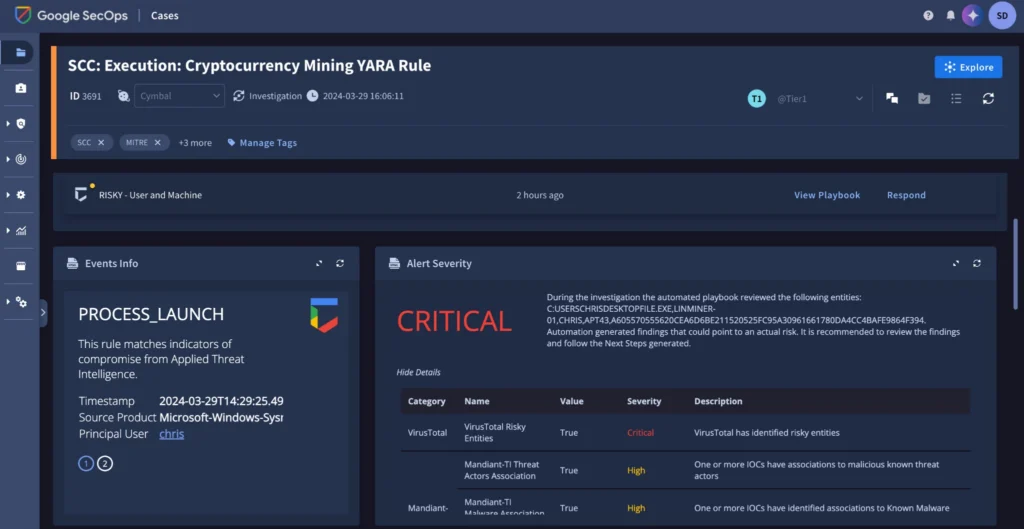
Google Security Operations provides a unified experience across SIEM, SOAR, and threat intelligence. Security telemetry is collected, threat intelligence is applied to identify priority threats, and response runs through playbook automation, case management, and collaboration in the same platform.
The platform ingests and analyzes telemetry from across an environment, including on-premises systems and all major cloud providers, so it is not limited to Google Cloud estates.
Key features include:
- Curated detections maintained externally: A growing set of out-of-the-box detections is developed and maintained by Google threat researchers, reducing the detection engineering load on internal teams.
- Custom detection authoring: Rules are written in the YARA-L language, and the Enterprise package supports up to 2,000 single-event and 125 multi-event rules, with Enterprise Plus raising that to 3,500 and 200.
- Data pipeline management: Security telemetry can be routed, filtered, redacted, and transformed before it lands, which controls what enters the platform and in what shape.
- Parsers and integrations at volume: The Standard package includes access to more than 700 parsers and more than 300 SOAR integrations.
- SOAR orchestration across the stack: Playbooks automate common response actions and orchestrate over 300 tools including EDRs, identity management, and network security products, with an auto-documenting case wall for collaboration.
- Investigation context: Threat-centric case management, interactive alert graphing, and automatic stitching of entities bring related signals together in one view.
- Gemini-assisted workflows: Natural language search generates the underlying queries, an investigative chat assistant provides case context, and AI-generated summaries and recommendations support triage.
- Retention included: Packages include 12 months of hot data retention by default, keeping historical data queryable alongside live data.
Limitations (as reported by users on G2):
- Cost and complexity: Users describe the platform as costly and complex to both set up and maintain.
- Implementation effort: Reviewers report that implementation takes meaningful time and resources.
- Learning curve: Several users note that the range of features and configuration options makes the platform harder to learn.
- Customization limits: Some reviewers find customization options constrained for their needs.
Source: Google
5. Elastic Security

Best for: Open, self-managed or air-gapped monitoring consolidation
Strengths: Automatic Import, federated search, native workflows
Things to consider: Infrastructure upkeep and query language learning
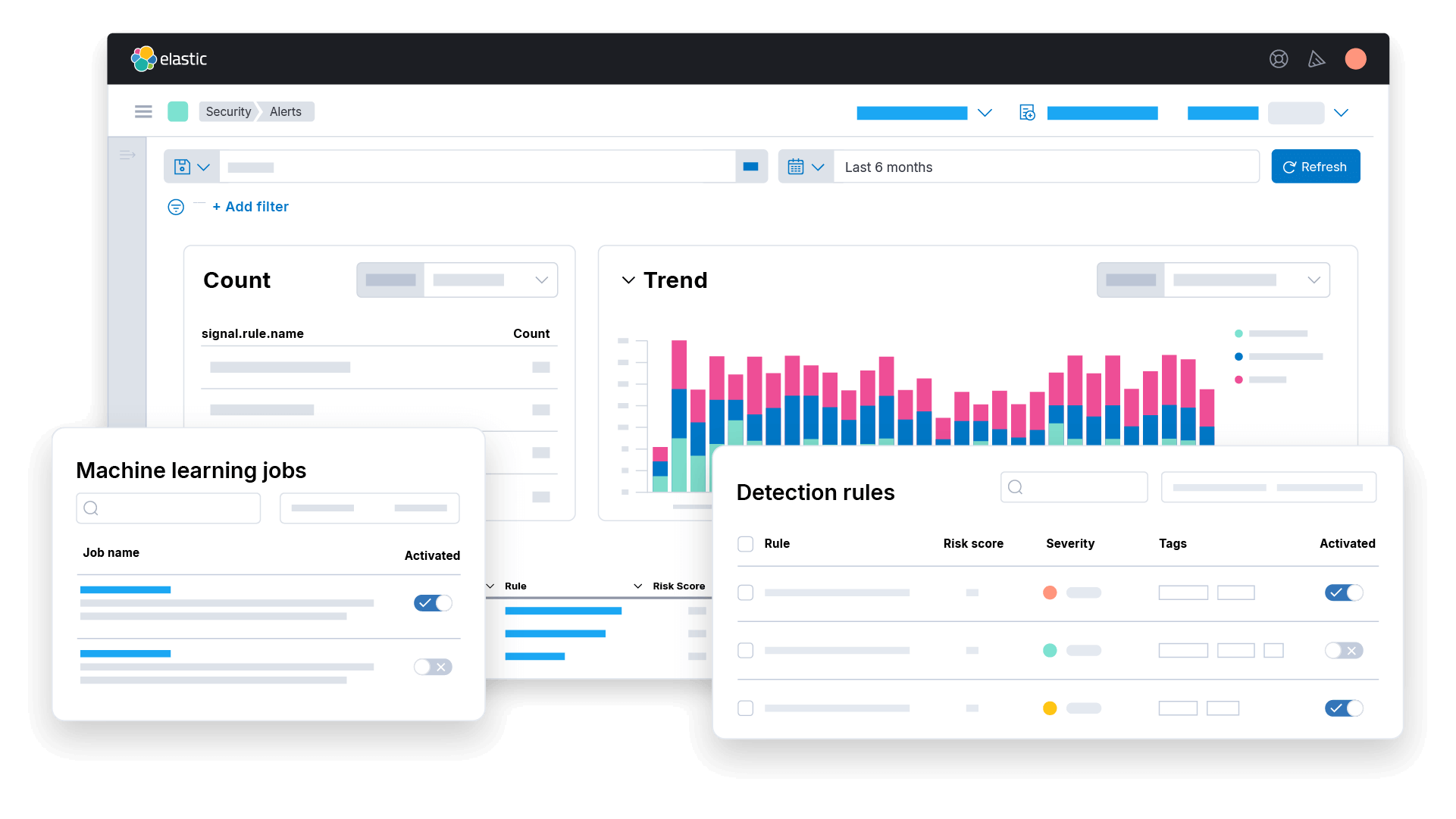
Elastic Security unifies SIEM, XDR, and native automation in one platform built on Elasticsearch. Automation runs through Elastic Workflows rather than a separate SOAR product, and pricing is based on compute and storage rather than per endpoint.
The platform runs on-premises, in the cloud, or in air-gapped environments without moving data, which suits organizations with data residency requirements that would otherwise need parallel toolsets in different environments.
Key features include:
- Immediate coverage on new sources: When a source connects, Elastic identifies the data type, maps the schema, and recommends detection rules, removing a separate pipeline and detection engineering step.
- Universal schema: Support for ECS, OCSF, and OpenTelemetry means a detection written once works across all of them, so teams do not maintain parallel rule sets per data format.
- Automatic Import for custom sources: Beyond 400-plus turnkey integrations, custom integrations are built by uploading sample logs.
- Automatic Migration: Existing SIEM content such as detection rules is mapped and converted, which lowers the effort of moving off an incumbent platform.
- Attack Discovery and alert analysis: Alerts are correlated into prioritized attack narratives, with classification, entity and threat intelligence enrichment, and an assembled investigation timeline delivered before the analyst is notified.
- Entity analytics: Every attribute change is stored with a timestamp, risk scores update as context changes, and watchlists feed organizational knowledge into scoring.
- Federated search: Queries, correlation, and hunts run across cloud, on-premises, and air-gapped deployments without moving data, and frozen or long-term data is searchable in the same query as live data.
- Native automation: Elastic Workflows runs triage, enrichment, notification, case management, and response actions such as disabling accounts, blocking IPs, and isolating hosts from one sequence.
- Composable AI skills: Purpose-built skills for threat hunting, alert analysis, detection engineering, and entity analytics run inside Elastic Security or from MCP-compatible tools, with model-agnostic LLM support including on-premises models.
Limitations (as reported by users on G2):
- Operational overhead: Users report meaningful administrative and maintenance overhead in running the platform.
- Infrastructure maintenance: Reviewers describe keeping the underlying infrastructure healthy as burdensome.
- Query language learning: Learning the platform’s query languages adds to the ramp-up time for new analysts.
- Integration issues: Some users report integration problems that complicate log correlation.

Source: Elastic
AI-Native SOC Platforms
6. Palo Alto Networks Cortex XSIAM

Best for: SOCs replacing several tools with one automated platform
Strengths: Unified data lake, 13,300+ detections, agentic automation
Things to consider: Resource demands and implementation complexity
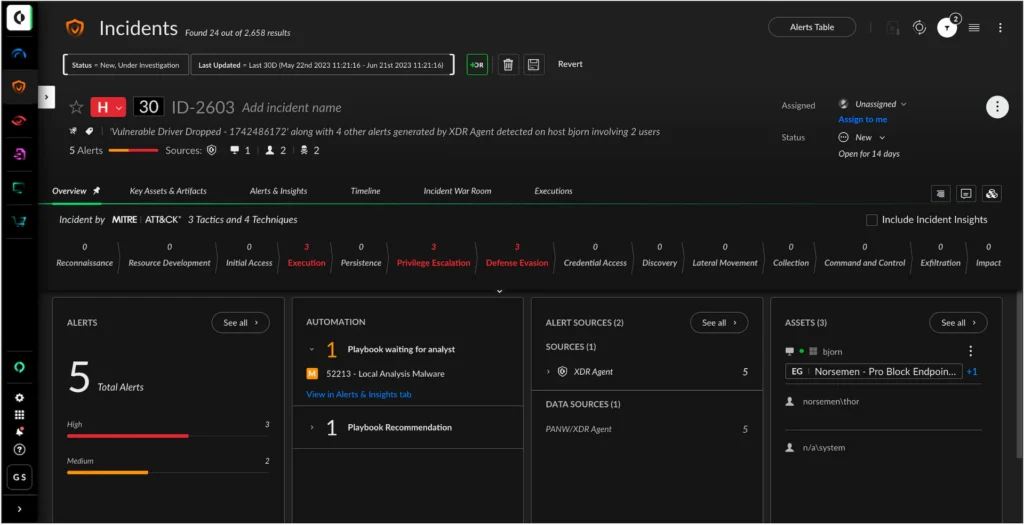
Cortex XSIAM is an AI-driven security operations platform built around unified data, automation, and AI. Its foundational layer combines SIEM, SOAR, EDR, NDR, and CDR, with extended capabilities covering email security, exposure management, threat intelligence management, and identity threat detection and response.
Underneath sits the Cortex extended data lake, which holds telemetry from endpoint, network, identity, cloud, and exposure sources through an open ecosystem that accepts any source. Palo Alto Networks positions the platform explicitly against siloed SOC tooling and manual processes.
Key features include:
- Unified data layer: Endpoint, network, identity, cloud, and exposure data land in one data lake, so correlation happens across sources without stitching separate tools together.
- Detection breadth: The platform ships with more than 13,300 detections and applies over 2,900 machine learning models against incoming data.
- Enriched telemetry inputs: Detection draws on triple the usual EDR telemetry plus enriched firewall logs, giving the analytics more signal to work with.
- Alert consolidation into cases: AI turns thousands of alerts into a small number of prioritized cases and presents the full attack story including root cause, which removes the manual work of assembling an incident from separate consoles.
- Automated triage and guided actions: Triage is automated and analysts are given guided next steps rather than raw alerts.
- Agentic automation: Cortex AgentiX runs an AI agent workforce that plans, reasons, and acts, with enterprise-grade guardrails controlling what agents are permitted to do.
- Integrated XDR: XDR capabilities are part of the platform rather than a separate product requiring its own console and integration.
- Managed service options: Unit 42 provides Managed Threat Hunting, Managed Detection and Response, and Managed XSIAM for teams that want the platform operated for them.
Limitations (as reported by users on G2):
- Resource requirements: Users report the solution is resource intensive, with hardware requirements that add to cost and complicate deployment.
- Implementation complexity: Reviewers describe implementation as time consuming and dependent on significant technical expertise.
- Cost relative to alternatives: Several users find pricing higher than competing platforms, which affects affordability for smaller organizations.
- Dashboard usability: Some reviewers report dashboard issues that make the interface feel cluttered and reduce visibility.
Source: Palo Alto Networks
7. CrowdStrike Falcon Next-Gen SIEM

Best for: Falcon users folding third-party data into one console
Strengths: Index-free search, data pipelines, agentic SOAR
Things to consider: Premium pricing and complex ingestion licensing
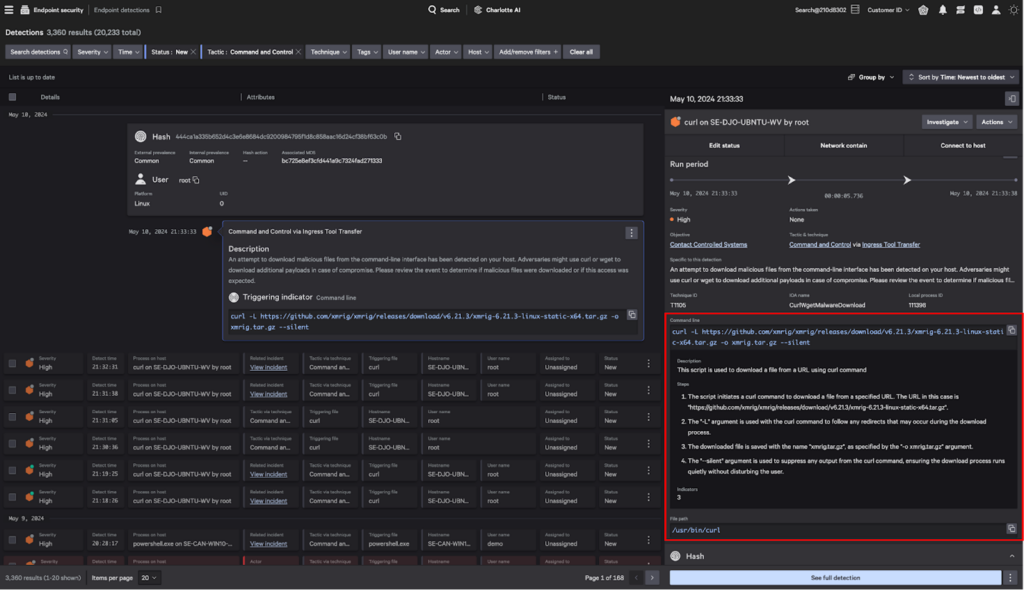
Falcon Next-Gen SIEM consolidates siloed security tools and data onto one AI-native SOC platform, bringing together data, detection and response, workflow automation, and threat intelligence. It draws on native Falcon platform data and ingests third-party telemetry alongside it.
The platform is used for security monitoring, log management, threat hunting, incident management, compliance, and legacy SIEM replacement. A dedicated edition extends the platform to third-party EDR, starting with Microsoft Defender, for teams that do not want to change their endpoint tooling.
Key features include:
- Data pipeline management: Falcon Onum delivers clean, enriched, real-time data pipelines, routing and transforming telemetry before it reaches the SIEM.
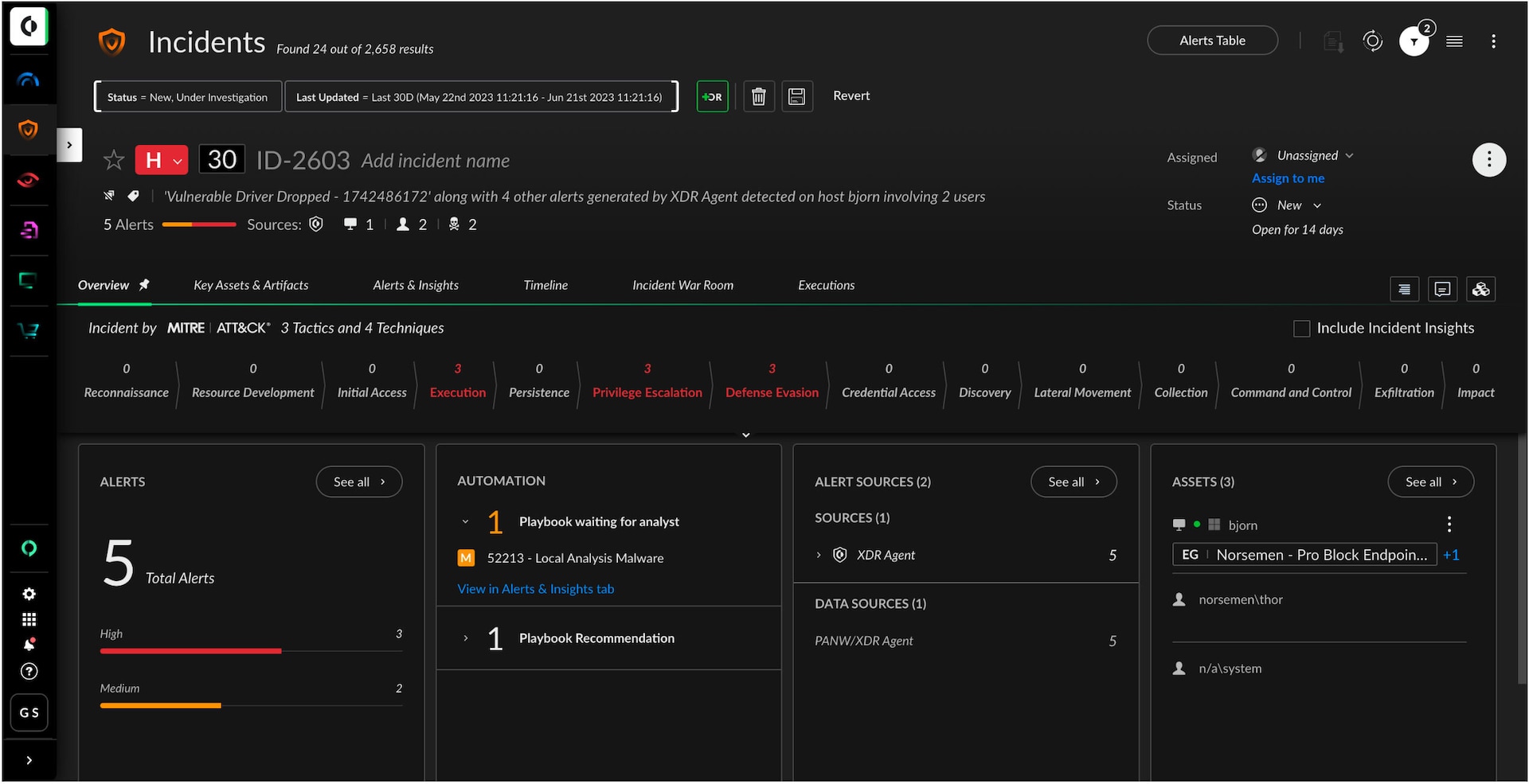
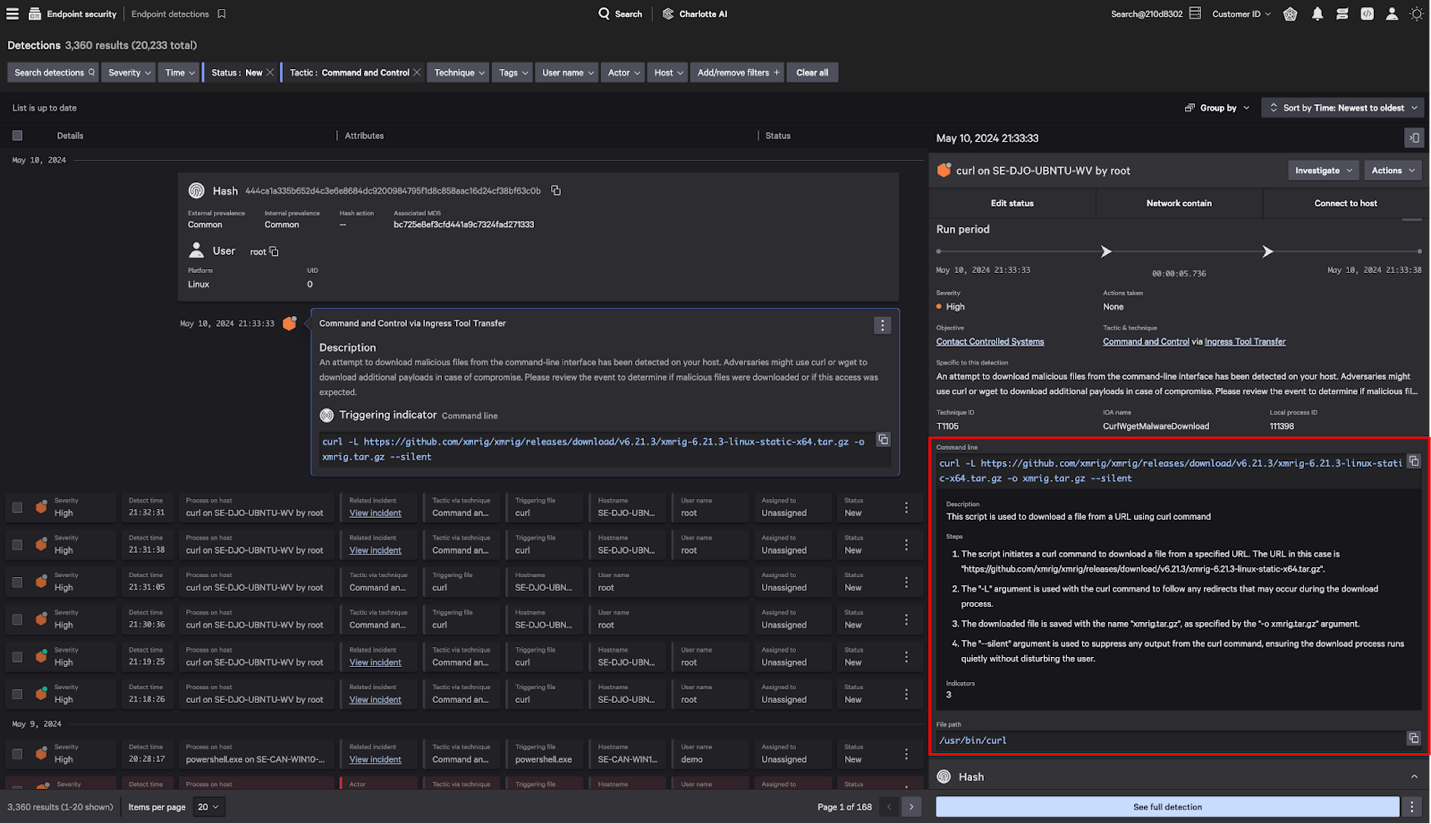
- Index-free search: An index-free architecture supports search at petabyte scale, which CrowdStrike states is up to 150 times faster than legacy alternatives, across diverse datasets.
- Federated search: Federated search and Falcon Onum give teams access to data wherever it lives rather than requiring everything to be centralized first.
- Unified detection and response: Cross-domain attacks are surfaced through unified AI-driven detection with centralized case management, and third-party indicators are managed in one place for consistent threat context.
- Agentic SOAR: Charlotte Agentic SOAR combines Falcon Fusion SOAR, Charlotte AI, and AgentWorks to run adaptive workflows, with Falcon Fusion providing no-code workflow automation for individual tasks.
- Custom application layer: Falcon Foundry is a low-code application platform for building custom apps on top of platform data.
- Log management and retention: Falcon LogScale handles detections, search, and cost-effective retention, and Falcon Search Retention covers longer-term storage for compliance.
- Third-party EDR support: Falcon Next-Gen SIEM for Third-Party EDR extends the platform to environments running another endpoint product, avoiding a rip-and-replace project.
Limitations (as reported by users on G2):
- Premium pricing: Users place the product at the premium end of the market on cost.
- Licensing complexity: Reviewers describe the licensing model as complex to navigate, with data ingestion costs that can escalate and become a budget concern.
- Log browsing interface: Some users report that scrolling through logs is awkward, with limited lines per page and slow pagination.
- Reliance on filtering: Reviewers note that finding relevant messages depends on setting up a fair number of filters first.
Source: CrowdStrike
8. SentinelOne Singularity Platform

Best for: Consolidating endpoint, cloud, and identity monitoring
Strengths: Shared data layer, single console, third-party ingestion
Things to consider: Tuning of early false positives and support waits
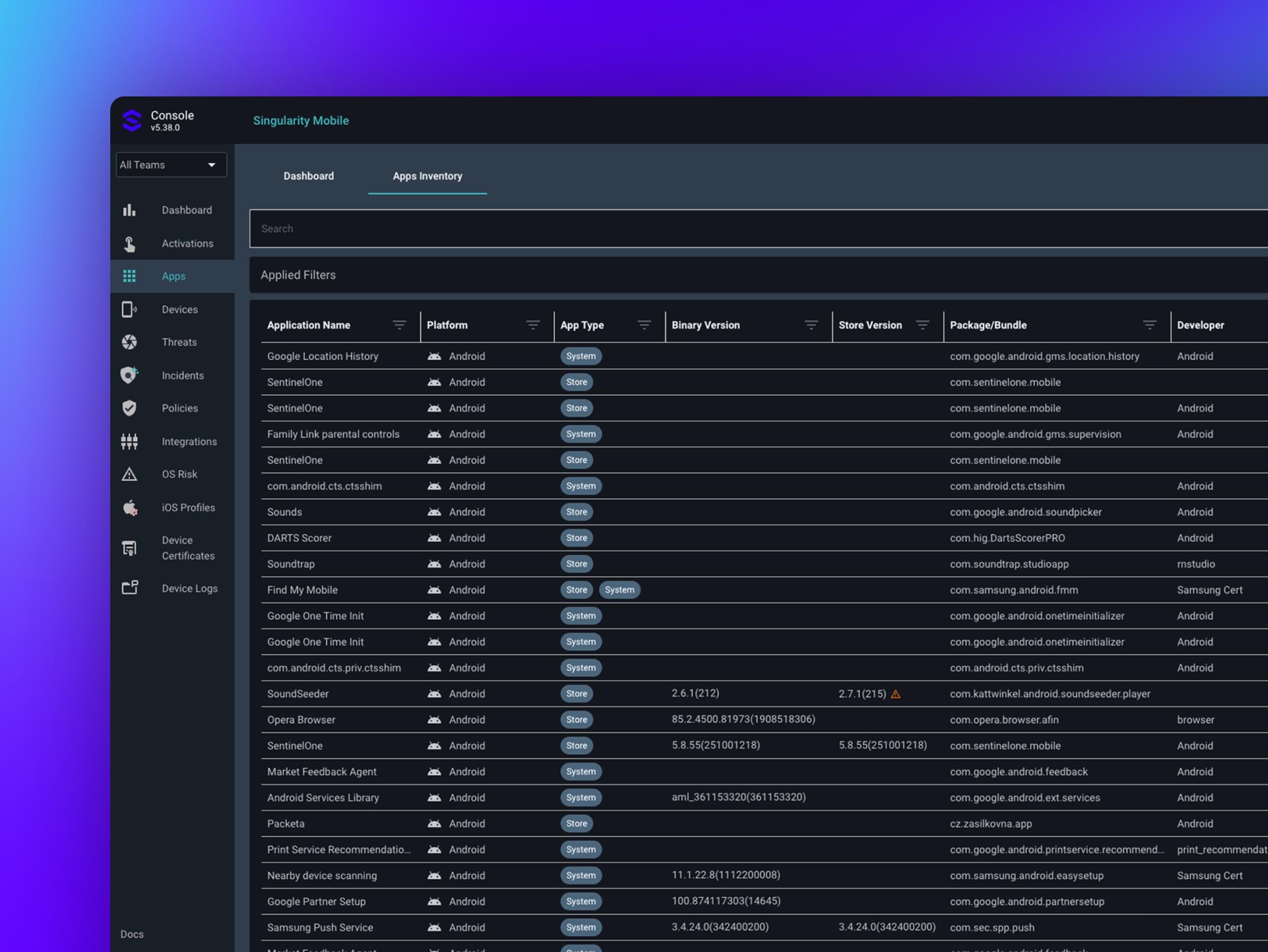
The Singularity Platform is SentinelOne’s unified security platform covering protection, security operations, and data. Endpoint, cloud, identity, and AI security run on a shared data layer, a single console, and one AI engine rather than being connected after the fact through integrations.
Because capabilities share the same foundation, expanding coverage is a matter of activating additional functions rather than deploying separate infrastructure. Organizations can consolidate onto the platform over time or run it alongside existing tools.
Key features include:
- One data foundation: Native and third-party telemetry lands in one place, so there are no separate data pipelines to build or maintain between products.
- Automatic cross-surface correlation: ASI connects signals across every surface automatically, so analysts receive incidents rather than individual alerts from separate consoles.
- Third-party data ingestion: AI SIEM ingests and normalizes data from third-party security and IT tools, which supports environments where existing investments stay in place.
- Single-action response: One response action applies across the entire platform, removing the need to repeat containment steps in different tools.
- Hyperautomation across the environment: Automation connects to common SaaS applications, any system with an API, and on-premises systems without custom development.
- Real-time capability sharing: A signal from the endpoint agent is immediately available to AI SIEM for correlation, Purple AI for investigation, and Hyperautomation for response, with no routing or manual handoffs.
- Coverage across domains: Endpoint, identity, mobile, cloud, and AI security run from the same console, delivered through a single lightweight agent on the endpoint side.
- One-click integrations: Singularity Marketplace provides prebuilt integrations for connecting the platform to other products in the stack.
Limitations (as reported by users on Gartner Peer Insights):
Note: reviews below relate specifically to Singularity AI SIEM, the platform’s security monitoring component.
- False positives during onboarding: Users report false positives that need tuning out in the early stages of deployment.
- Support responsiveness: Some reviewers mention delays when waiting on support.
- Integration challenges: Reviewers cite integration work as an area that can require effort.
- Interface navigation: Users note that the breadth of available features can make locating a specific menu or option difficult.
- Cost: Several reviewers raise pricing as a consideration.
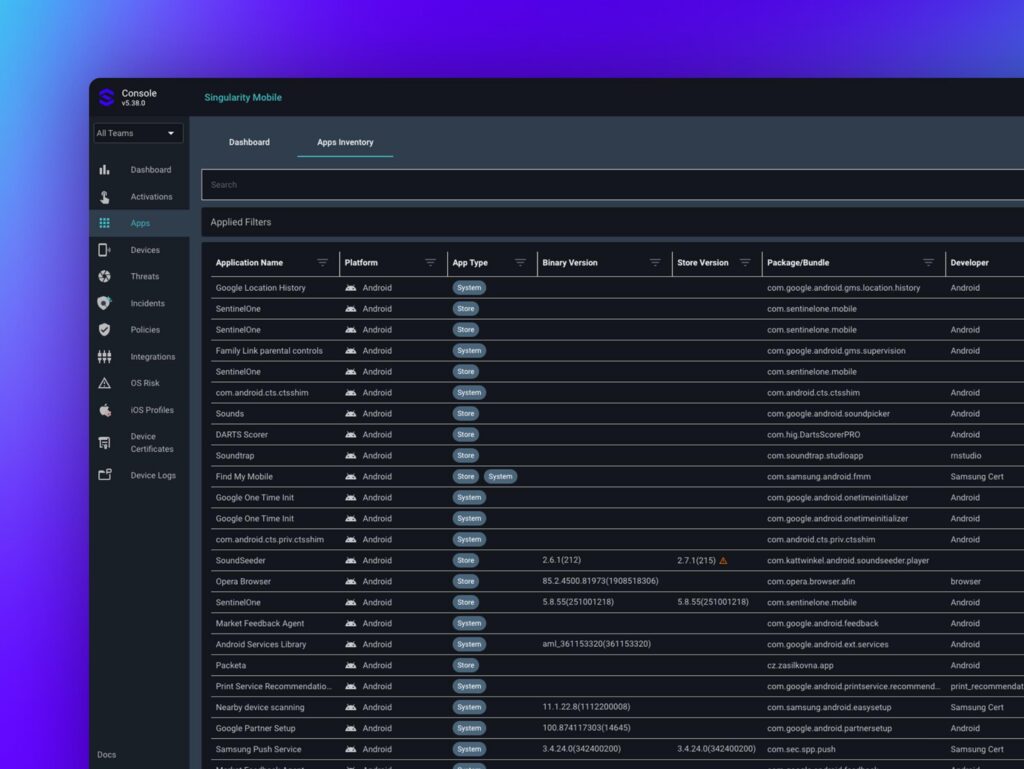
Source: SentinelOne
Conclusion
Reducing security monitoring complexity requires more than simply removing tools. Organizations need to consolidate overlapping capabilities, centralize telemetry, normalize data, and standardize detection and response workflows so analysts can work from a consistent operational view. The most effective approach balances platform consolidation with integration flexibility, automation, scalability, and coverage across endpoints, identities, networks, cloud environments, and third-party systems.
Learn More About Exabeam
Learn about the Exabeam platform and expand your knowledge of information security with our collection of white papers, podcasts, webinars, and more.
-
Webinar
The Insider Risk Program Just Got Bigger: How Digital Workers Are Changing Identity, Behavior, Ownership, and...
-
 Blog
Blog
What Is the Difference Between Exabeam and CrowdStrike for SIEM and Security Operations?
- Show More