


High Performance Search Across Massive Log Datasets: 8 Solutions Compared
- 21 minutes to read
Table of Contents
TL;DR: Search performance across massive log datasets depends on partitioning, indexing, storage tiering, and query design. Exabeam is best for security teams searching multi-year data, Splunk Enterprise suits schema-on-read SPL analytics, Elastic suits petabyte log indexing with ES|QL, and Grafana Loki suits label-indexed logging on object storage.
Why Is High Performance Search Important for Massive Log Datasets?
Improving search performance across massive log datasets requires filtering data efficiently, leveraging proper indexing, and utilizing distributed architectures. These machine-generated records document events, transactions, and system activities at scale. The datasets are produced by servers, applications, network devices, and cloud services, often in real time.
The volume of logs generated can range from gigabytes to petabytes per day, depending on the infrastructure and the level of activity. Log data is typically semi-structured, using formats like JSON, CSV, or plain text, and includes timestamps, message content, and contextual metadata. The main value of massive log datasets is their use for monitoring, troubleshooting, security auditing, and analytics.
Core optimization strategies for massive log datasets include:
- Use time-based partitioning to reduce search scope: Organize logs by time window so queries scan only the partitions relevant to the requested period.
- Build efficient indexes for frequently queried log fields: Index commonly filtered fields such as timestamps, hosts, log levels, and error codes.
- Optimize shard size and distribution across nodes: Balance shard sizes and placement to avoid hotspots and improve parallel query execution.
- Apply early filtering to minimize data scanning: Narrow queries by time, source, event type, or other selective fields before running expensive operations.
- Reduce expensive wildcard and regex searches: Prefer exact, prefix, or structured field queries that can use indexes efficiently.
- Use caching for frequently repeated log queries: Cache recurring dashboard and report queries to reduce repeated scans and computation.
- Implement hot, warm, and cold storage tiers: Keep recent logs on fast storage and move older data to lower-cost tiers as access frequency declines.
- Pre-aggregate log data for common analytics queries: Store summary metrics for repeated analytics so dashboards do not rescan raw events each time.
- Optimize queries for high-cardinality log fields: Filter high-cardinality fields before grouping or aggregation to reduce memory and processing overhead.
- Monitor query latency and identify search bottlenecks: Track slow queries, resource utilization, and scan volume to identify indexing, shard, or capacity issues.
Log Search and Analytics Platforms at a Glance
The table below summarizes the key differences between the platforms covered in this guide, including what each is built for and where teams tend to hit friction. We explore each one in more detail in the sections that follow.
| Category | Solution | Best For | Key Strengths | Things to Consider |
| Security log search and SIEM | Exabeam | Security teams searching multi-year log data at petabyte scale | 2M+ EPS ingestion, 9,500+ parsers, normalized CIM search | Dashboard customization and documentation depth |
| Security log search and SIEM | Splunk Enterprise | Schema-on-read search across large, varied machine data | SPL, distributed search, hot-to-frozen tiering, federation | Licensing cost and performance at very large ingest volumes |
| Security log search and SIEM | Microsoft Sentinel | Cloud-scale security search across Microsoft and third-party data | Built-in data lake, KQL, 350+ connectors, tiered retention | Query speed on large volumes and ingestion cost visibility |
| Security log search and SIEM | CrowdStrike Falcon LogScale | Index-free log search at petabyte-per-day ingestion rates | Sub-second latency, 15x compression, free-text and regex search | Query language learning curve and integration breadth |
| Log analytics and observability | Elastic | Petabyte-scale log indexing with piped query analytics | ES|QL, logsdb index mode, log categorization, 450+ integrations | Query syntax learning curve and configuration overhead |
| Log analytics and observability | Datadog Log Management | Searching live and archived logs in one query experience | Flex Logs, Archive Search, Log Patterns, indexing controls | Cost visibility as ingestion volume grows |
| Log analytics and observability | Sumo Logic | Partitioned log analytics with query-based licensing | Partitions, scheduled views, LogReduce, LogCompare, Live Tail | Query performance on long ranges and query-driven cost |
| Log analytics and observability | Grafana Loki | Label-indexed log aggregation on low-cost object storage | Metadata-only indexing, LogQL, object storage, Prometheus fit | Production cluster setup effort and search stability |
What Makes Massive Log Datasets Difficult to Search?
High Data Volume
The sheer volume of log data is a core challenge in search operations. Systems may generate millions or billions of log entries daily, resulting in enormous datasets that strain storage and processing resources. Searching through such large volumes requires significant computational power and optimized data architectures to maintain reasonable query response times. Without proper strategies, searches can become slow and resource-intensive, impacting operational efficiency and user experience.
Large data volumes also increase the cost and complexity of storage solutions. Retaining logs for compliance or historical analysis means organizations must balance the need for accessibility with storage constraints. As log datasets grow, older data may be moved to less expensive storage, but this can further complicate search operations if not managed properly. Scalable indexing and efficient data partitioning become essential to handle high data volumes without degrading search performance.
Related content: Read our detailed guide to log management
High Data Velocity
High data velocity refers to the rapid rate at which new log entries are generated and ingested into storage systems. Modern applications, especially those leveraging microservices and cloud-native architectures, can produce logs in real time, leading to a continuous influx of new data. This constant stream challenges search systems to keep indexes up to date and maintain search performance as new logs arrive. Real-time ingestion can create indexing backlogs and increase search latency if not handled efficiently.
The combination of high data velocity and high query demand requires a robust infrastructure capable of parallel processing and near real-time indexing. Search engines must balance the tasks of ingesting new data, updating indexes, and serving user queries simultaneously. Failure to manage high-velocity log streams can result in stale data in search results, delayed alerting, and missed operational insights, which is unacceptable for critical monitoring and incident response scenarios.
Log Data Variety
Log datasets are rarely uniform; they often contain a wide range of data types and structures. Different systems, applications, and services generate logs in their own formats, with varying field names, data types, and message structures. This diversity complicates search operations because queries must account for differences in schema, encoding, and semantics. Parsing and normalizing diverse log formats is a prerequisite for effective searching, but it can add significant overhead to the ingestion pipeline.
Variety in log data also affects how efficiently indexes can be built and maintained. Indexing strategies that work well for one log format may not be suitable for another, leading to inconsistent search performance. Moreover, the presence of unstructured or semi-structured data further complicates the use of traditional search optimizations, requiring more advanced parsing and schema inference techniques. As a result, handling log data variety is a critical factor in designing scalable and effective log search solutions.
High-Cardinality Fields
High-cardinality fields are log attributes that can take on a large number of unique values, such as user IDs, IP addresses, or transaction identifiers. These fields present unique challenges for search and analytics because traditional indexing methods can become inefficient or excessively large when dealing with so many distinct values. High-cardinality fields often lead to bloated indexes, increased memory usage, and slower query performance, especially when used as primary filters in searches.
Searches involving high-cardinality fields can strain the query engine, particularly if users frequently run queries that aggregate or group by these fields. The system must scan and process a vast number of unique values, increasing computational demands and latency. Specialized indexing techniques, such as bitmap or inverted indexes, may be required to handle high-cardinality fields efficiently. Without such optimizations, searches can become bottlenecks, delaying operational insights and incident resolution.
Improving Search Performance Across Massive Log Datasets
1. Use Time-Based Partitioning to Reduce Search Scope
Time-based partitioning is a core strategy for managing and searching massive log datasets. By organizing logs into partitions based on time intervals (such as hours, days, or weeks) search systems can limit queries to relevant time ranges, reducing the volume of data scanned for most queries. This approach is particularly effective because the majority of log searches are time-bounded, focusing on:
- Recent incidents
- System outages
- Compliance windows
Implementing time-based partitioning also improves parallelism and scalability. Each partition can be stored, indexed, and queried independently, allowing for distributed processing across multiple nodes or storage devices. This segmentation not only accelerates query execution but also simplifies data retention policies, enabling efficient archiving or deletion of old partitions.
2. Build Efficient Indexes for Frequently Queried Log Fields
Efficient indexing of commonly searched log fields is critical for performance. Indexes act as lookup tables that allow search engines to quickly locate relevant entries without scanning the entire dataset. For log data, fields that are frequently used as search filters include:
- Timestamps
- Log levels
- Hostnames
- Error codes
Creating dedicated indexes for these fields ensures that queries leveraging them execute much faster, reducing overall latency and resource consumption. However, index design must be carefully managed to avoid excessive storage overhead and index maintenance costs. Indexes should be built selectively for fields with high query frequency and cardinality patterns that support efficient lookup structures.
3. Optimize Shard Size and Distribution Across Nodes
Sharding involves dividing a large dataset into smaller, more manageable pieces called shards, which are then distributed across multiple servers or nodes. Optimizing shard size and distribution is essential for:
- Balancing search workloads
- Maximizing resource utilization
If shards are too large, queries may become slow and resource-intensive; if too small, management overhead increases, and system resources may be underutilized. Finding the right shard size helps maintain optimal performance and simplifies maintenance.
Even distribution of shards across nodes prevents any single node from becoming a bottleneck. Load balancing mechanisms can ensure that search and indexing requests are spread evenly, minimizing latency and avoiding hotspots. Rebalancing shards periodically, especially as data grows or usage patterns shift, helps sustain high search performance and fault tolerance.
4. Apply Early Filtering to Minimize Data Scanning
Early filtering refers to applying restrictive search criteria as soon as possible in the query execution process. By narrowing the scope of data that needs to be scanned, early filtering reduces the computational load and speeds up query response times. For log searches, this often means filtering by:
- Time range
- Log level
- Specific event types
This is done before scanning or aggregating more detailed fields. Systems that support predicate pushdown can push filters directly to the storage layer, further improving efficiency. Early filtering is especially valuable when dealing with high-volume or high-velocity log data. By excluding irrelevant data early, the search engine minimizes memory usage and I/O operations, freeing up resources for other queries.
5. Reduce Expensive Wildcard and Regex Searches
Wildcard and regular expression (regex) searches are resource-intensive because they often require scanning large portions of log data without the benefit of efficient indexes. These types of queries can degrade search performance, especially as data volumes grow. Whenever possible, searches should be designed to use exact matches or prefix queries that leverage existing indexes, minimizing the need for full-table scans.
To further reduce reliance on wildcard and regex searches, organizations can standardize log formats and field values, enabling more structured queries. Preprocessing logs to extract and normalize key information into dedicated fields allows users to search efficiently using indexed columns.
6. Use Caching for Frequently Repeated Log Queries
Caching is useful for improving search performance in environments where certain queries are executed repeatedly. By storing the results of frequent queries, search engines can serve subsequent requests directly from cache, avoiding redundant scans and computations. This is especially beneficial for features that refresh data at regular intervals with similar query parameters, such as:
- Dashboards
- Reports
- Monitoring tools
Effective caching strategies require identifying which queries are suitable for caching based on frequency and result volatility. Time-to-live (TTL) settings should be adjusted to balance data freshness with performance gains. In distributed systems, cache coherence and invalidation mechanisms must be implemented to ensure users see up-to-date results when underlying log data changes.
7. Implement Hot, Warm, and Cold Storage Tiers
Hot, warm, and cold storage tiers separate log data based on how frequently it is searched:
- Recent logs typically remain in hot storage, which uses high-performance infrastructure and maintains full indexes for low-latency queries.
- Older logs can move to warm storage with lower-cost resources.
- Rarely accessed historical data can be placed in cold storage or object storage.
Tiering reduces storage costs without applying the same performance requirements to all retained data. Retention and migration policies can automatically move logs between tiers as they age. Search systems should also make the storage tier visible to query planners so recent searches target fast storage, while queries against archived logs accept higher latency or restore data only when required.
8. Pre-Aggregate Log Data for Common Analytics Queries
Pre-aggregation computes summaries of log data before users run analytics queries. Instead of repeatedly scanning raw events to calculate metrics such as error counts, request rates, or average response times, the system can store these values in hourly or daily summary tables. Queries can then read a much smaller dataset, reducing requirements for:
- CPU
- Memory
- Storage I/O
The aggregation level should match common query patterns while preserving raw logs when detailed investigation is required. For example, dashboards may use five-minute summaries grouped by service and status code, while incident analysis queries the original events. Incremental aggregation can process only newly ingested logs, avoiding the cost of rebuilding summaries for the entire dataset.
9. Optimize Queries for High-Cardinality Log Fields
Queries involving high-cardinality fields require careful optimization, including:
- Request IDs
- User IDs
- IP addresses
- Session identifiers
Grouping or aggregating by these fields can create large intermediate result sets and consume substantial memory. Exact-match filters should be applied before aggregations whenever possible so the query engine processes fewer unique values.
Indexing decisions should also reflect how each high-cardinality field is used. Fields frequently used for exact lookups may benefit from inverted indexes, hash-based structures, or other optimized indexes supported by the search platform. Fields that are rarely queried may be better left unindexed to avoid unnecessary storage and ingestion overhead.
10. Monitor Query Latency and Identify Search Bottlenecks
Continuous monitoring helps identify queries and system components that limit search performance. Useful metrics include:
- Query latency percentiles
- Data scanned per query
- Cache hit rates
- CPU and memory utilization
- Disk I/O
- Shard response times
- Queue depth
Tracking these metrics over time makes it easier to distinguish isolated slow queries from broader capacity or configuration problems. Slow-query logs and query profiling tools can reveal expensive filters, aggregations, wildcard searches, or poorly distributed workloads. Teams can use this information to adjust indexes, rewrite queries, resize shards, or add capacity where needed.
Notable Log Search and Analytics Platforms for Massive Log Datasets
How we selected these platforms: We shortlisted log search and analytics platforms based on their ability to ingest high-volume log data, index or partition it efficiently, execute queries across long time ranges, and manage storage tiers and retention as datasets grow.
Security Log Search and SIEM Platforms
1. Exabeam

Best for: Security teams searching multi-year log data at petabyte scale
Strengths: 2M+ EPS ingestion, 9,500+ parsers, normalized CIM search
Things to consider: Dashboard customization and documentation depth
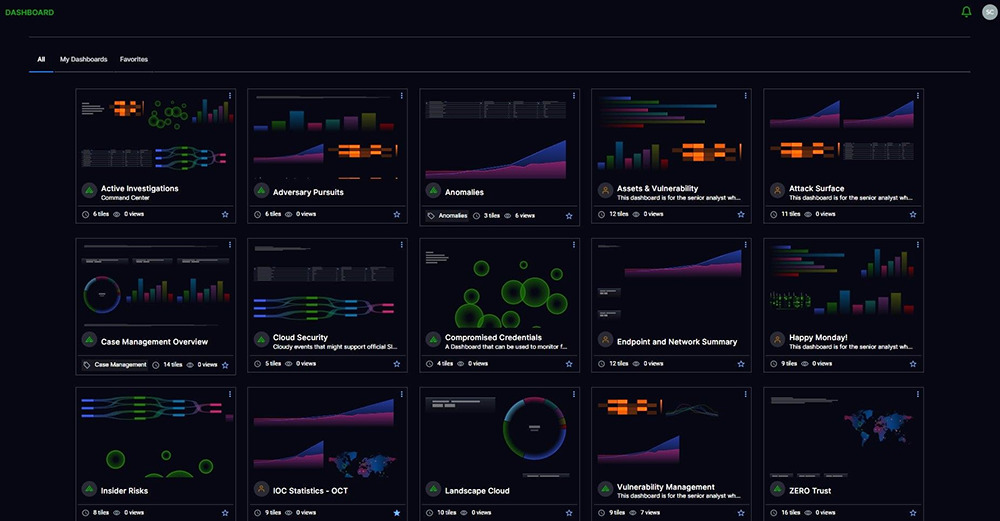
Exabeam provides log management built specifically for security use cases as part of the New-Scale Fusion platform. The platform ingests, parses, stores, and searches log data at scale, with data normalized through a security-specific Common Information Model and enriched at ingestion so it is immediately available for search, investigation, and analytics. Applying behavioral intelligence to this normalized data establishes a baseline of normal activity to surface anomalies.
Search is delivered as a shared platform app available under any license entitlement, alongside collectors, Log Stream, reporting and dashboards, and the correlation rule builder. This means search sits on the same normalized data layer used by the rest of the platform rather than on a separate index maintained per product.
Key features include:
- High-throughput ingestion pipeline: Log Stream sustains over 2 million events per second and provides a central console to visualize, create, deploy, and monitor parsers within a single ingestion pipeline shared across all platform features.
- Pre-built parsing at scale: More than 9,500 pre-built log parsers convert raw logs from different vendors into structured events, reducing the parsing and normalization work that otherwise slows down ingestion and complicates queries.
- Security-specific Common Information Model: Raw logs are normalized into a schema organized by 10 fields, 76 security subjects, and 395 activities, so queries reference consistent field names regardless of the originating vendor.
- Behavioral intelligence baselines: The platform tracks historical activity across users and assets to establish normal behavioral baselines, automatically surfacing subtle anomalies and reducing the need for manual, query-heavy threat hunting.
- Intelligent data retention: Retention settings control how long data stays available for search, letting teams keep frequently queried data accessible while managing the storage footprint of older log volumes.
- Federated search across external stores: The platform can route data to third-party storage and run federated searches against external data sources, so queries reach data that has not been ingested into the platform itself.
- Ingest-time enrichment: Data is enriched with context from threat intelligence feeds, location data, and user-host-IP mapping as it arrives, adding context to search results without requiring lookups at query time.
- Broad collection coverage: The platform supports 200+ on-premises products, 34 cloud-delivered security products, and 21 cloud infrastructure products through APIs, syslog, and log aggregators.
Limitations (as reported by users on PeerSpot):
- Dashboard customization: Reviewers would like additional dashboard options and deeper customization, including more control over how detections are filtered and ordered in reporting views.
- Documentation depth: Some users report that documentation is less comprehensive in certain areas, particularly around API interactions and advanced configuration.
- Out-of-the-box integrations: A number of reviewers would like a wider set of prebuilt integrations available without custom configuration work.

Source: Exabeam
2. Splunk Enterprise

Best for: Schema-on-read search across large, varied machine data
Strengths: SPL, distributed search, hot-to-frozen tiering, federation
Things to consider: Licensing cost and performance at very large ingest volumes
Splunk Enterprise collects machine data through forwarders and sends it to indexers, which store and organize it for retrieval. The indexing process creates a time-series database optimized for fast retrieval, and the platform ingests structured, semi-structured, and unstructured data without requiring a predefined schema.
The platform applies a schema-on-read model, indexing data in its raw format and applying structure at search time. This removes upfront data modeling from the ingestion path, though it shifts field extraction work into the query. Deployments range from single instances to distributed clusters spanning multiple data centers.
Key features include:
- Distributed search architecture: Search heads coordinate queries across a set of indexers, while forwarders handle collection. This separation lets indexing and query workloads scale horizontally to petabytes across clustered deployments.
- Search Processing Language: SPL uses piped syntax to filter, correlate, and transform data, with an AI Assistant that generates SPL from natural language prompts for users unfamiliar with the syntax.
- Tiered storage lifecycle: Data moves automatically between hot, warm, cold, and frozen states while remaining searchable, with granular retention and archival policies controlling how long each tier is kept.
- Summary indexing: Summary indexes precompute results from scheduled searches, so recurring reports and dashboards read a smaller dataset instead of rescanning the full raw event set.
- Federated search and analytics: Queries can reach data held in S3, Databricks, Snowflake, and Microsoft Fabric without moving or copying it, accessing the data where it already resides.
- Knowledge objects and data models: Saved searches, reports, field extractions, and data models are shared across teams, standardizing how commonly queried fields are defined and accessed.
- Ingest-time data management: The platform filters, masks, routes, and transforms data in the pipeline, so teams can control what reaches the index and what is routed elsewhere.
Limitations (as reported by users on PeerSpot):
- Licensing cost at volume: Reviewers consistently note that licensing becomes a significant factor for organizations ingesting large data volumes, and that this influences platform selection.
- Performance in large deployments: Some users report performance degradation and noticeable lag in large environments, with slower query response under heavy load.
- Bottleneck visibility: Reviewers describe difficulty identifying whether indexers or search heads are causing stability issues, and would like clearer self-monitoring dashboards.
- Administration complexity: Deployment and ongoing maintenance in large environments are described as complex, typically requiring experienced administrators.
- SPL learning curve: New users report that SPL and advanced administration take time to learn, particularly when writing queries scoped to the right timeframe.

Source: Splunk
Related content: Read our detailed guide to Splunk Enterprise
3. Microsoft Sentinel

Best for: Cloud-scale security search across Microsoft and third-party data
Strengths: Built-in data lake, KQL, 350+ connectors, tiered retention
Things to consider: Query speed on large volumes and ingestion cost visibility
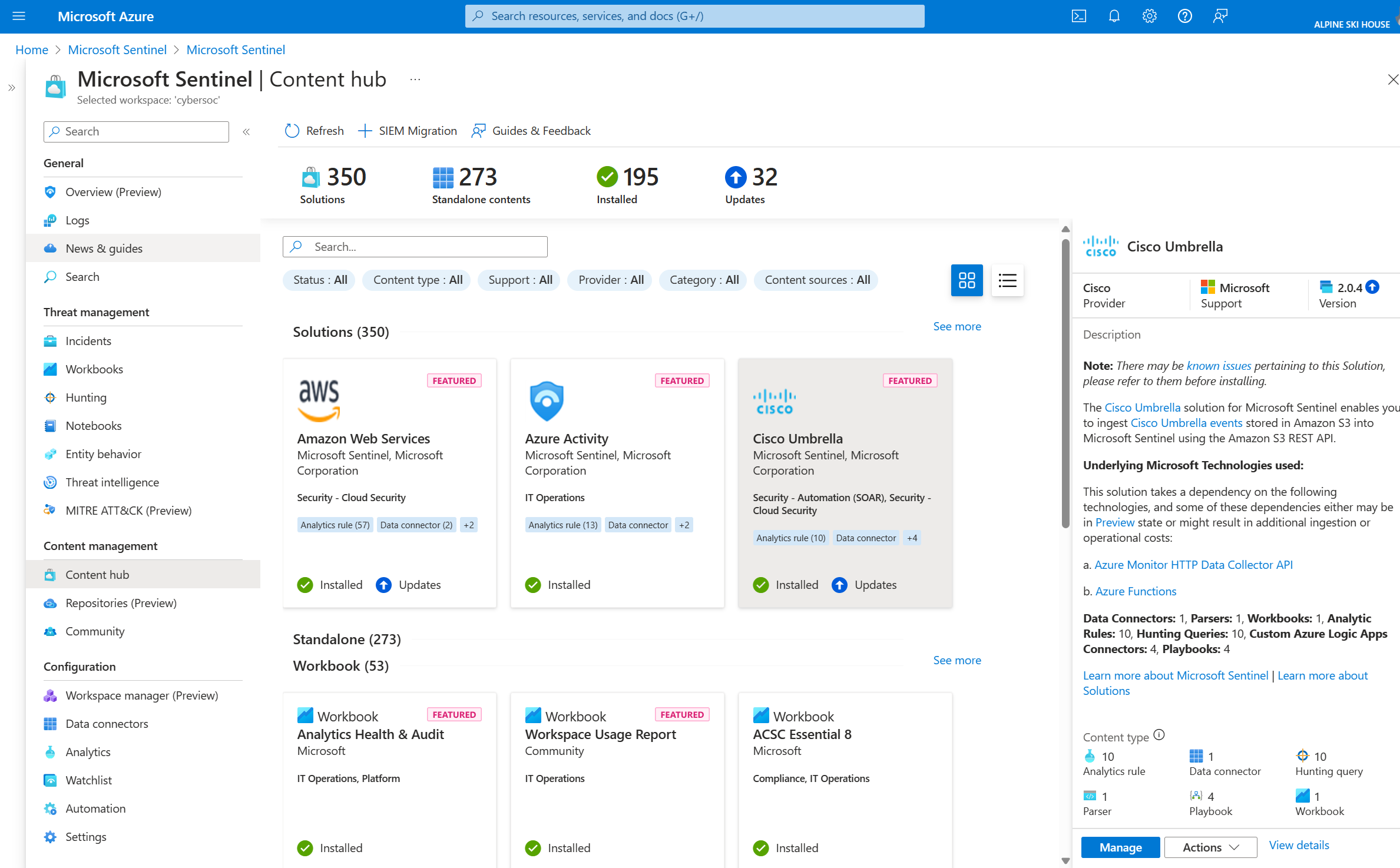
Microsoft Sentinel is a cloud-native SIEM that collects data across users, devices, applications, and infrastructure spanning on-premises and multiple clouds. It correlates signals across identities, endpoints, cloud apps, and infrastructure, and scales from a first connector to enterprise-wide collection.
Storage is handled through a built-in data lake that holds years of security data for hunting, compliance, and detection. Pricing is based on the volume of data ingested, stored, and consumed, with commitment tiers available, which makes data placement decisions part of query planning.
Key features include:
- Built-in data lake for long retention: The Sentinel data lake stores and queries years of security data, keeping historical logs available for hunting and compliance without holding everything in high-cost analytics storage.
- Flexible data tiering: Voluminous logs can be retained in the data lake rather than the primary tier, so teams choose where each data source lands based on how often it is queried.
- Kusto Query Language: KQL handles filtering, correlation, and aggregation across ingested data, and Security Copilot drafts KQL queries and summarizes incidents for analysts.
- Extensive connector library: More than 350 ready-to-use connectors cover Microsoft and non-Microsoft sources, with a codeless connector framework for building custom ones without writing collection code.
- SOC optimization recommendations: AI-driven recommendations surface ingestion cost reductions and rule tuning suggestions, pointing teams at data sources and detections that are consuming disproportionate resources.
- Graph-powered context: A security graph built into the platform architecture links telemetry across use cases, providing relationship context alongside raw event search.
- SIEM migration tooling: A built-in AI-assisted migration tool converts Splunk and QRadar alerts into native Sentinel detections, reducing the query rewriting work involved in a platform move.
Limitations (as reported by users on PeerSpot):
- Query speed at volume: Reviewers ask for improved performance and query speed when working with large volumes of data.
- Cost visibility: Users describe log ingestion and retention costs as a significant pain point, noting that identifying which data source is driving cost is not always straightforward.
- KQL and interface complexity: Some reviewers find KQL queries difficult to construct and would like a more intuitive interface.
- Data collection troubleshooting: Reviewers report that diagnosing data collection and connector issues can be time-consuming.
- Alert tuning: Users mention alert fatigue and false positives, and would like more prebuilt use cases and dashboards out of the box.

Source: Microsoft
Related content: Read our detailed guide to Microsoft Sentinel
4. CrowdStrike Falcon LogScale

Best for: Index-free log search at petabyte-per-day ingestion rates
Strengths: Sub-second latency, 15x compression, free-text and regex search
Things to consider: Query language learning curve and integration breadth
Falcon LogScale, formerly Humio, is a centralized log management platform built on an index-free architecture. Rather than building indexes at ingest, it uses a time-series database engine optimized to ingest and aggregate large log volumes, then applies hardware resources at search time when they are needed.
This design changes where compute is spent. Traditional platforms consume CPU and memory building indexes during ingestion, which adds delay to both ingest and search. LogScale scales to over 1 petabyte of data ingestion per day and processes incoming data with sub-second latency for live search.
Key features include:
- Index-free ingestion: The architecture avoids building indexes at ingest, removing a common ingestion bottleneck and allowing data to be retained for years without the storage overhead that indexing adds.
- Advanced compression: Data is compressed by an average of 15x using LZ4, and stays compressed while being read from disk into RAM and toward the CPU cache, so effective read throughput is a multiple of raw disk speed.
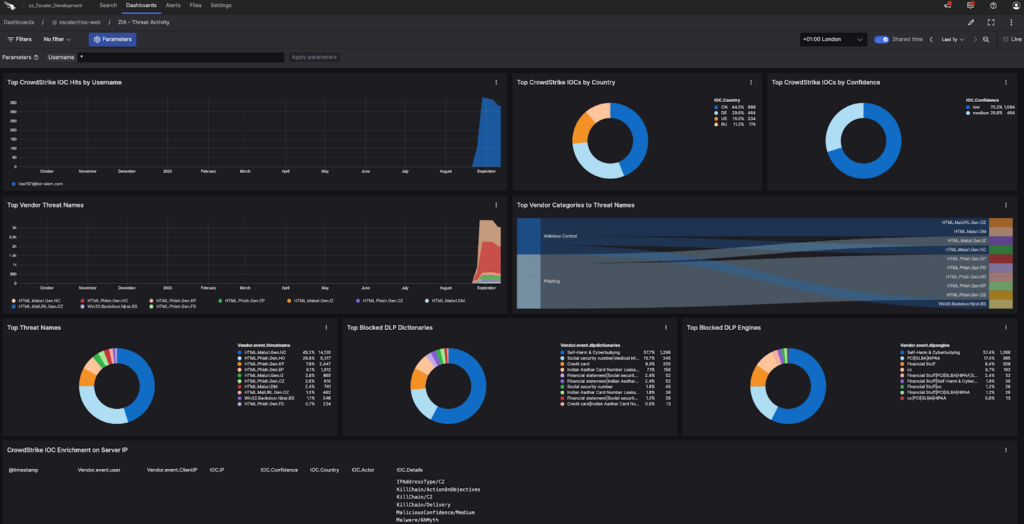
- CrowdStrike Query Language: The query language supports filtering, aggregation, and regex, alongside free-text search for scanning all events without constructing a structured query first.
- Live streaming searches: Users create live searches, dashboards, and alerts that update as data arrives, alongside historical dashboards that drill down from charts directly into search results.
- Configurable retention licensing: Retention licenses are available in 30, 60, 90, 180, and 365 day increments, with other options available, letting teams align retention windows to how far back queries typically reach.
- Selectable compression algorithms: ZFS compression can be used in place of LZ4 for a denser footprint, trading additional CPU time during decompression for faster reads from disk.
- Flexible deployment: Cloud and self-hosted options are both available, with data onboarding through the LogScale Collector, the CrowdStream data pipeline, or LogScale Marketplace apps.
Limitations (as reported by users on PeerSpot):
- Query language learning curve: Reviewers describe the query language as steep to learn, particularly for analysts migrating from established platforms with different syntax.
- Overlapping features: Users note feature overlap across multiple tools in the vendor’s portfolio, which can make it unclear which module to use for a given task.
- Cost at larger user counts: Pricing is described as costly for organizations with more than 1,000 users.
- Integration breadth: Reviewers report that integration capabilities could be improved, with fewer prebuilt connectors than some competing platforms.
- Support consistency: Feedback on support quality is mixed, with some reviewers rating it highly and others reporting slower responses.

Source: CrowdStrike
Log Analytics and Observability Platforms
5. Elastic

Best for: Petabyte-scale log indexing with piped query analytics
Strengths: ES|QL, logsdb index mode, log categorization, 450+ integrations
Things to consider: Query syntax learning curve and configuration overhead
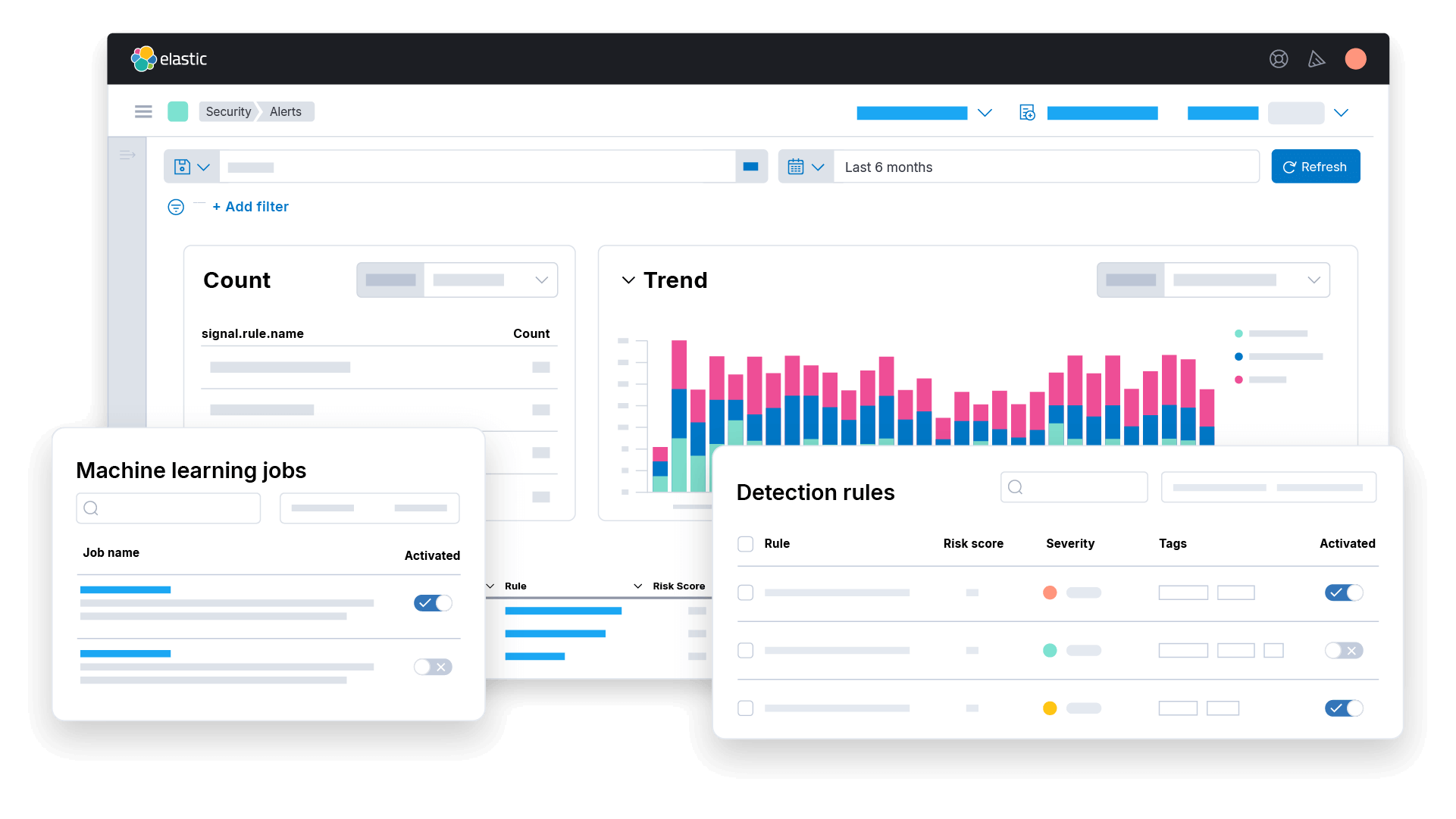
Elastic provides log analytics built on Elasticsearch, with an architecture designed to handle petabytes of logs through indexing, compression, and storage optimization. Logs from any source are normalized to OpenTelemetry semantic conventions, so field names stay consistent across sources for filtering and correlation.
The platform combines structured indexing with machine learning applied automatically to incoming log messages. Rather than requiring users to define what to look for in advance, categorization and pattern analysis group and surface events, narrowing what a query needs to scan.
Key features include:
- logsdb index mode: A dedicated index mode for high-volume logging applies smarter index sorting and denser compression, producing up to a 70% smaller storage footprint without sacrificing speed or searchability.
- ES|QL query engine: ES|QL uses piped syntax to filter, transform, join, correlate, and aggregate across petabytes of structured or unstructured data, with the AI Assistant generating queries from natural language prompts.
- Streams for parsing and partitioning: Streams automatically parses, partitions, and structures incoming logs, applying field extraction and lifecycle policies with minimal manual pipeline configuration.
- Schema on read or write: Structure can be applied at ingestion or deferred to query time, letting teams choose between faster ingestion and more predictable query performance per data source.
- Log categorization: Millions of similar log lines are grouped automatically into categories, reducing the volume an analyst has to work through during triage.
- Pattern and log rate analysis: Machine learning runs on every log message to surface anomalies and rate spikes, flagging where log volumes fall outside expected patterns.
- 450+ integrations and auto-import: Prebuilt integrations cover cloud services, CI/CD pipelines, databases, and Kubernetes, while AI-driven auto-import generates ingest pipelines for unstructured data and maps it to ECS fields.
Limitations (as reported by users on PeerSpot):
- Query syntax learning curve: Reviewers report that users need familiarity with Elastic syntax to work effectively, and describe query building as less intuitive than some alternatives.
- Configuration and maintenance overhead: Users describe the platform as complex to configure, with meaningful administrative overhead in maintaining the infrastructure.
- Dashboard presentation: Some reviewers find the dashboards less polished than competing tools from a presentation standpoint.
- Documentation clarity: Reviewers note that documentation could be clearer in places, particularly for less common configurations.
- Scalability and pricing: Users identify scalability planning and pricing as areas that present challenges as deployments grow.

Source: Elastic
6. Datadog Log Management

Best for: Searching live and archived logs in one query experience
Strengths: Flex Logs, Archive Search, Log Patterns, indexing controls
Things to consider: Cost visibility as ingestion volume grows
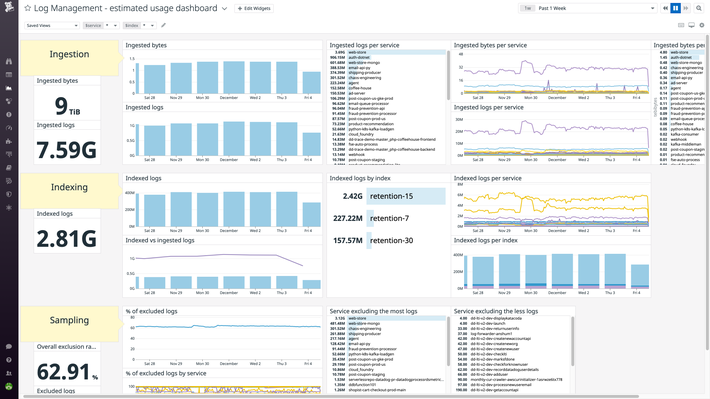
Datadog Log Management handles full-stack logging with logs, metrics, and traces unified in one interface. The platform scales to millions of logs per minute or petabytes per month, and separates the decision of what to ingest from the decision of what to index and retain for interactive search.
That separation is the core of the design. Teams ingest everything, then choose which logs stay indexed for live search and which move to compressed archives. Metrics can be generated from all logs, including ones that are never indexed, so trends stay visible without paying indexing costs for full-fidelity search.
Key features include:
- Selective indexing and archiving: Flexible storage controls for Ingest, Live Tail, and Live Search let teams decide which logs to retain in searchable form and for how long, separating retention policy from ingestion volume.
- Flex Logs: Retention and querying capacity are adjusted independently for high-volume log sources, so a long retention window does not require provisioning matching query capacity.
- Archive Search: A single query experience covers both live and historical logs, with access to long-term cloud storage without a separate rehydration step, and native correlation between historical logs and metrics.
- Log Patterns and Pattern Inspector: Similar log messages are grouped automatically into patterns, surfacing recurring structures across large result sets, with Pattern Inspector revealing the underlying data.
- Metric generation from unindexed logs: Metrics are generated from all logs even when those logs are not indexed, allowing trend and KPI tracking without maintaining a searchable index for the source.
- Centralized processing and routing: One control panel builds structured datasets from raw log data across sources, enriches ingested logs with custom reference data, and forwards logs to a data lake or external SIEM.
- Log Explorer and Log Workspaces: Search, filter, visualize, and export logs without a complex query language, with results rendered as tables, charts, and other visualizations.
Limitations (as reported by users on PeerSpot):
- Cost visibility: Reviewers report difficulty tracking which data is driving cost as log and metric ingestion grows, and would like more granular, real-time cost insights.
- Pricing predictability: Users describe difficulty forecasting the cost of a new project before data ingestion has begun.
- Alert noise: Without careful tuning, the platform generates a high volume of alerts that reviewers describe as not consistently actionable.
- Interface complexity: New users find the interface complex to navigate, and reviewers report that organizing dashboards becomes difficult at scale.
- Documentation currency: Some reviewers note that documentation needs updating for clearer guidance on newer capabilities.

Source: Datadog
7. Sumo Logic

Best for: Partitioned log analytics with query-based licensing
Strengths: Partitions, scheduled views, LogReduce, LogCompare, Live Tail
Things to consider: Query performance on long ranges and query-driven cost
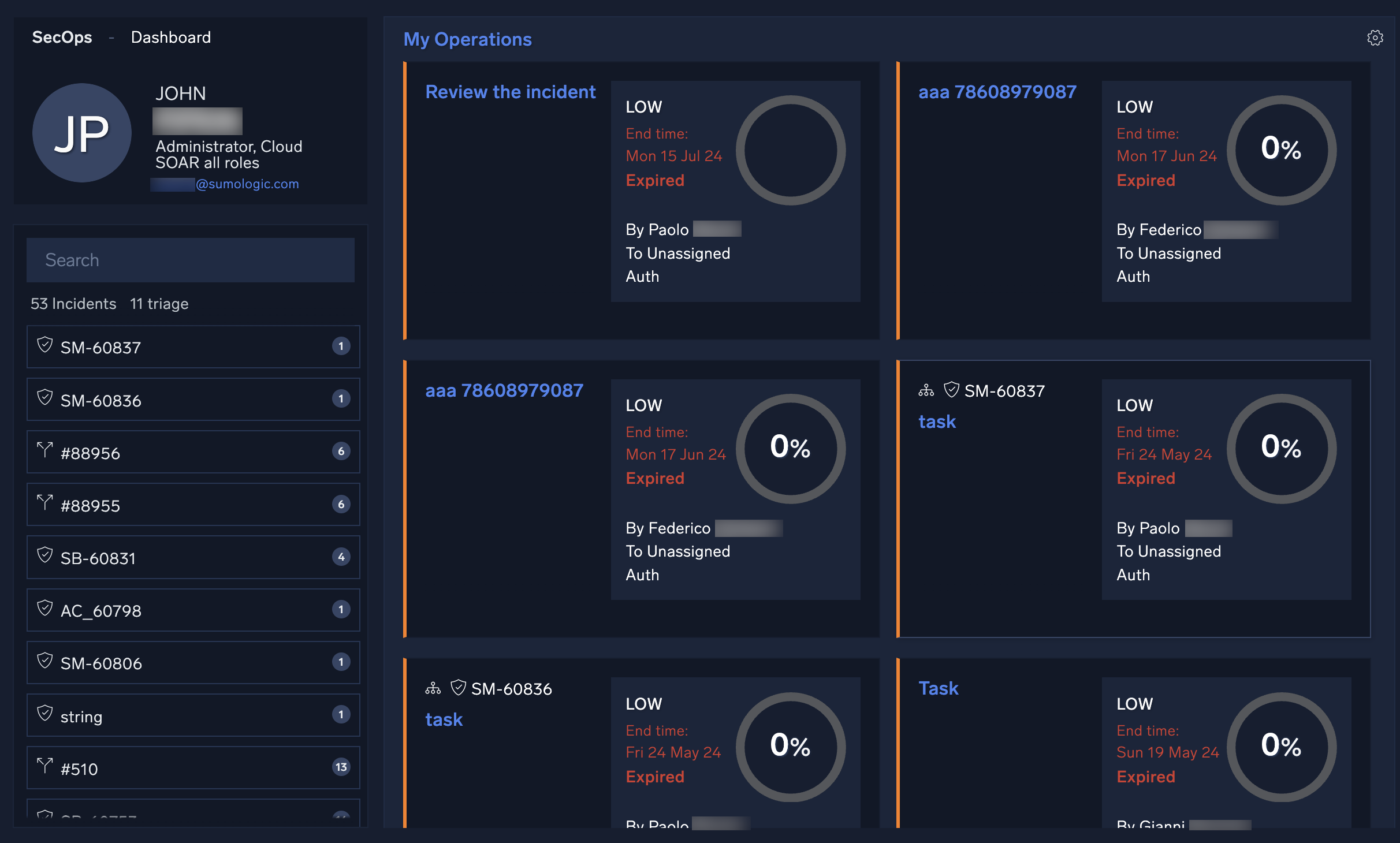
Sumo Logic collects log data from cloud and on-premises systems into a multi-tenant SaaS platform, keeping data online and searchable. Logs, events, metrics, and traces are unified, and partitions and scheduled views let users scope queries to the most relevant subset of data rather than the full dataset.
Licensing reinforces that scoping. Flex Licensing decouples ingest from cost with zero-dollar ingest, charging instead on the insights derived from querying the platform. This makes the volume of data a query scans a direct cost factor as well as a performance factor.
Key features include:
- Partitions: Data is apportioned into partitions so a query scans only the relevant subset, with partition size directly governing how much data a search against it has to read.
- Scheduled views: Precomputed views hold results for recurring queries, so dashboards and repeated searches read a smaller prepared dataset rather than rescanning raw events.
- LogReduce and LogCompare: LogReduce clusters similar log lines into groups automatically, and LogCompare highlights differences between time periods, narrowing large result sets before detailed analysis.
- Outlier Detection: Machine learning identifies anomalies across ingested data, surfacing deviations without requiring users to define thresholds for every monitored field in advance.
- Live Tail: Real-time log streaming lets users watch events as they arrive during deployments or incidents, rather than waiting for a scheduled query or alert to fire.
- Query Agent in Mobot: Natural language input is translated into log queries, so users can construct searches without writing the platform’s query syntax directly.
- OpenTelemetry and multi-source collection: Hosted Collectors, Installed Collectors, and an OpenTelemetry Distribution collect from hybrid, cloud, and on-premises sources through prebuilt integrations.
Limitations (as reported by users on G2):
- Long time range queries: Reviewers report that complex queries spanning seven days or more can feel sluggish or time out, and that dashboard and search functions slow during peak ingestion.
- Query language learning curve: Users describe the query syntax as taking time to learn, particularly for teams coming from other platforms, and ask for better out-of-the-box query builders.
- Cost control through query scope: Reviewers note that imprecise filters and misconfigured retention or data tier settings can increase bills significantly, requiring continuous monitoring.
- Interface friction: Some users find the interface dated or click-heavy, and reviewers report that the newer UI removed an internal tabbing system they relied on for concurrent investigations.
- Alerting latency: Several reviewers report that alerts fire more slowly than on competing platforms, and that alert setup and tuning can be time-consuming.

Source: Sumo Logic
8. Grafana Loki

Best for: Label-indexed log aggregation on low-cost object storage
Strengths: Metadata-only indexing, LogQL, object storage, Prometheus fit
Things to consider: Production cluster setup effort and search stability
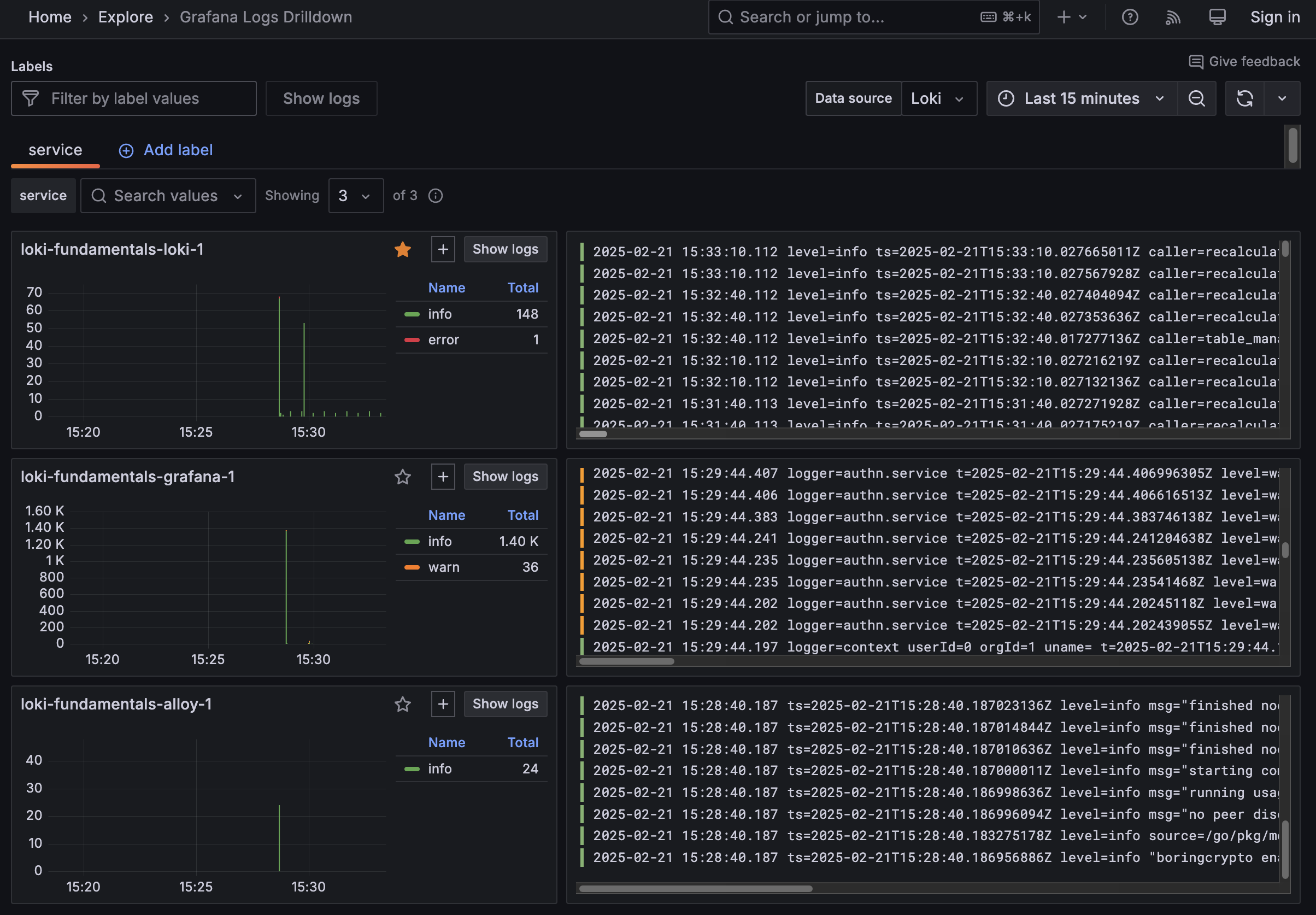
Grafana Loki is a horizontally scalable, highly available, multi-tenant log aggregation system inspired by Prometheus. Its defining characteristic is that it does not index the contents of log lines. Instead, entries are grouped into streams and indexed by a set of labels, which keeps indexes small and writes fast.
That choice has direct consequences for storage and query behavior. Storing the same set of logs in Loki requires far less storage than solutions that index full text, and log lines become queryable within milliseconds of being received. Loki is released under the AGPLv3 license.
Key features include:
- Metadata-only indexing: Only labels are indexed rather than log line contents, producing small indexes, fast writes, and lower operating cost than full-text indexing approaches.
- Object storage persistence: All data persists to object storage, providing petabyte scale, high throughput, and durable storage at a lower cost than block storage backed alternatives.
- LogQL: The query language runs directly inside Grafana or through LogCLI, letting teams move between metrics, logs, and traces in a single interface.
- Query-time formatting: Loki imposes no ingestion log formatting requirements, so logs are sent in any format from any source and structure is applied at query time rather than at ingest.
- Metrics and alerts from log lines: Metrics are built and alert rules evaluated directly on incoming log data, with resulting alerts routed to a Prometheus Alertmanager.
- Real-time log tailing: Logs can be tailed as they arrive, refreshed on an interval, or viewed for a specific date, supporting live investigation alongside historical queries.
- Promtail collection: Promtail uses the same service discovery as Prometheus and provides labeling, transforming, and filtering of logs before they are ingested into Loki.
Limitations (as reported by users on PeerSpot):
- Production cluster setup: Reviewers report that standing up a production-grade cluster takes considerable effort to understand how the components fit together, and that the recommended tooling adds complexity.
- Search stability: Some users report stability issues when retrieving or searching for information within logs, and would like faster query performance.
- Query and dashboard experience: Reviewers describe LogQL queries and the dashboard as lacking immediate feedback, with the interface less intuitive than alternatives.
- Non-Kubernetes environments: Users deploying on ECS rather than Kubernetes report significant configuration effort, and some would like direct access to Windows Server logs.
- Alerting gaps: Reviewers note limitations in alerting with certain data sources and ask for changes to the available alert types.

Source: Grafana Loki
Conclusion
Improving search performance across massive log datasets requires optimizing the entire path from ingestion and storage to query execution. Time-based partitioning, selective indexing, balanced sharding, early filtering, storage tiering, caching, and pre-aggregation can reduce how much data each query must process. Teams should also monitor query latency and resource usage continuously, then adjust retention, indexes, partitions, and query patterns as log volumes and workloads change.
Learn More About Exabeam
Learn about the Exabeam platform and expand your knowledge of information security with our collection of white papers, podcasts, webinars, and more.
- Webinar
The Insider Risk Program Just Got Bigger: How Digital Workers Are Changing Identity, Behavior, Ownership, and...
-
 Blog
Blog What Is the Difference Between Exabeam and CrowdStrike for SIEM and Security Operations?
- Show More