


Best Practices for Monitoring Privileged User Accounts and 8 Solutions that Can Help
- 19 minutes to read
Table of Contents
TL;DR: Privileged user monitoring tracks high-risk accounts to detect misuse, compromise, and insider threats. Exabeam is best for behavior-based insider threat detection, Microsoft Sentinel for Microsoft-centric SOCs, Idira for zero standing privileges and session control, and Syteca for detailed session recording.
What Is Privileged User and Executive Monitoring?
Effective monitoring of privileged user accounts like admins and executives requires strict account separation, real-time session tracking, and the principle of least privilege. It helps organizations detect unauthorized actions, account compromise, insider threats, and misuse of critical systems.
Privileged user monitoring typically focuses on administrators, IT personnel, database managers, and other users with elevated permissions. These accounts can modify system configurations, access confidential data, create user accounts, and change security settings. Monitoring tools record activities such as privileged logins, permission changes, file transfers, command execution, and access to sensitive resources.
Executive monitoring focuses on senior leaders, such as CEOs, CFOs, and other executives who handle confidential business information. Their accounts are frequent targets of phishing, credential theft, and impersonation attacks. Monitoring helps detect suspicious logins, unusual email activity, unauthorized access to sensitive documents, and attempts to compromise executive accounts.
Best practices for monitoring privileged users:
- Identify and classify privileged accounts: Maintain an inventory of privileged and high-risk identities, categorized by access level, business importance, and potential impact.
- Establish behavioral baselines: Document typical login patterns, resource access, administrative activity, and data transfers to detect suspicious deviations.
- Implement continuous monitoring with UEBA: Analyze historical and peer behavior to identify unusual activity across users, systems, and sessions.
- Integrate PAM with SIEM and security analytics: Correlate privileged sessions with authentication, endpoint, and network events to improve detection and investigations.
- Monitor privilege escalation and permission changes: Track elevated access assignments and compare changes against approved requests and maintenance windows.
- Detect unusual authentication patterns: Monitor failed logins, unfamiliar devices, suspicious MFA activity, and token usage for signs of account compromise.
- Correlate security events across environments: Connect identity, endpoint, network, and cloud activity to uncover related threats and provide investigation context.
- Monitor sensitive data and critical assets: Track unusual access, bulk downloads, permission changes, and external transfers involving confidential information.
- Use dynamic risk scoring: Combine behavioral anomalies and security signals to prioritize investigations and trigger proportionate responses.
- Maintain watchlists for high-value accounts: Apply enhanced monitoring to executives and other critical identities, reviewing membership regularly and respecting privacy requirements.
Security solutions that can help implement and enforce these best practices:
At the end of this article we review the following security solutions that can help automate and enforce privileged user best practices.
| Solution | Best For | Key Strengths |
| Exabeam | Behavior-based insider threat and privileged account detection | UEBA, agent behavior analytics, stateful timelines |
| Microsoft Sentinel | Organizations using Microsoft security tools | Built-in UEBA, SOAR, threat intelligence, 400+ connectors |
| Splunk Enterprise Security (UEBA) | Splunk customers adding behavior analytics | Entity risk scoring, peer group comparisons |
| Securonix UEBA | Behavior analytics for human, machine, and AI identities | UEBA and AEBA, privacy masking controls |
| Idira Privileged Access Manager | Enforcing zero standing privileges with session control | Vaulting, ZSP, JIT, session isolation, ITDR |
| BeyondTrust Password Safe | Privileged passwords, secrets, and sessions in one solution | Auto-discovery, live session lock and terminate |
| Delinea Secret Server | PAM vault with discovery and session recording | Encrypted vault, automated rotation, check-in/out |
| Syteca | Privileged user activity monitoring with session recording | Session recording, keystroke logs, real-time alerts |
Why Is Monitoring Privileged Users Important?
Privileged users and executives have access to critical systems, sensitive information, and high-impact business functions. Monitoring their accounts helps organizations detect compromise, identify misuse, and respond before suspicious activity causes significant damage.
- Elevated access to sensitive systems and business data: Administrators can change configurations and security controls, while executives access confidential business information. Monitoring helps detect unauthorized access, downloads, and data transfers.
- Increased risk of insider threats and privilege abuse: Authorized users may intentionally or accidentally misuse their access. Monitoring flags unusual behavior, such as unexpected permission changes, bulk data exports, or attempts to disable audit logging.
- Targeted attacks against executives and high-value accounts: Attackers target these accounts through phishing, credential theft, and impersonation. Monitoring detects suspicious logins, mailbox rules, and authentication changes to support rapid investigation and response.
Key Security Risks Associated With Privileged Users Like Admins and Executives
Privileged Account Compromise and Account Takeover
Privileged accounts are valuable targets because they provide elevated access to critical systems, applications, and sensitive data. Attackers may compromise these accounts through phishing, credential theft, password spraying, malware, or stolen session tokens. Once authenticated, they can perform administrative actions that would normally be restricted to trusted personnel.
Account takeover can allow attackers to modify security settings, create unauthorized accounts, disable monitoring tools, or access confidential information. Monitoring authentication events, privileged sessions, and changes to account permissions helps security teams detect suspicious activity and contain compromised accounts.
Malicious and Negligent Insider Threats
Insider threats originate from individuals who have legitimate access to organizational systems and information. Malicious insiders may intentionally steal data, sabotage infrastructure, or misuse administrative permissions for personal gain. Negligent insiders can expose sensitive information through accidental file sharing, insecure configurations, or improper handling of credentials.
Privileged users present additional risks because their permissions allow them to perform actions with significant security consequences. Monitoring file access, configuration changes, data transfers, and administrative commands helps identify potentially harmful behavior. These activities should be evaluated against the user’s responsibilities and normal working patterns to distinguish legitimate operations from suspicious actions.
Privilege Escalation and Unauthorized Access
Privilege escalation occurs when an attacker or unauthorized user gains permissions beyond those originally assigned to their account. Vertical privilege escalation involves obtaining higher-level permissions, such as moving from a standard user account to an administrator account. Horizontal privilege escalation involves accessing another account or resources at a similar permission level without authorization.
Attackers may exploit software vulnerabilities, misconfigured access controls, excessive permissions, or compromised credentials to escalate privileges. Once they obtain elevated access, they can bypass security restrictions and access protected resources. Monitoring changes to user roles, group memberships, access policies, and privileged account assignments helps detect unauthorized privilege escalation.
Sensitive Data Exfiltration and Intellectual Property Theft
Privileged users and executives frequently have access to confidential business information, including financial records, customer databases, source code, intellectual property, and strategic documents. Attackers who compromise these accounts may extract sensitive data without immediately triggering traditional security controls.
Data exfiltration can occur through cloud storage services, personal email accounts, removable devices, or unauthorized file transfers. Indicators include unusually large downloads, access to unfamiliar repositories, and transfers to unapproved external destinations. Monitoring data access and movement helps organizations identify suspicious transfers and investigate potential information theft.
Lateral Movement Using Privileged Credentials
Lateral movement occurs when attackers move between systems after gaining an initial foothold in an organization’s environment. Privileged credentials make this process easier because they may provide access to multiple servers, endpoints, databases, and cloud resources.
Attackers can use stolen administrator credentials, remote management tools, or compromised service accounts to access additional systems. Their objective may be to locate sensitive information, compromise domain controllers, or deploy ransomware across the environment. Monitoring remote logins, privileged authentication events, unusual system connections, and credential usage across multiple hosts helps detect lateral movement.
Executive Impersonation and Business Email Compromise (BEC)
Executive impersonation involves attackers pretending to be senior leaders to manipulate employees, business partners, or financial personnel. Business email compromise (BEC) attacks commonly use spoofed email addresses, compromised executive mailboxes, or deceptive domains to request fraudulent payments, sensitive documents, or changes to banking information.
These attacks often rely on social engineering rather than malware. For example, an attacker impersonating a CFO may instruct an employee to urgently transfer funds to an unauthorized account. Monitoring suspicious mailbox activity, unusual forwarding rules, unauthorized sign-ins, and changes to email security settings helps identify compromised executive accounts. However, detecting impersonation from external spoofed addresses also requires email authentication controls, impersonation detection, and independent verification of sensitive requests.
Best Practices for Monitoring Privileged Users and Executives
1. Identify and Classify All Privileged Accounts and High-Risk Users
Effective monitoring begins with identifying accounts that hold elevated permissions or access sensitive business information. These identities include domain administrators, cloud administrators, database administrators, service accounts, and executives. Organizations should maintain an inventory covering on-premises infrastructure, cloud environments, and business applications.
Each account should be classified according to its privileges, business importance, and potential impact if compromised. Regular reviews help uncover inactive accounts, excessive permissions, and undocumented administrative access so monitoring efforts remain focused on the identities that present the greatest risk.
How security solutions can help:
- Discover privileged accounts and sensitive access across connected systems, directories, and applications.
- Enrich identity inventories with account ownership, assigned permissions, and business-criticality information.
- Flag dormant accounts, excessive privileges, and unapproved administrative access for review.
2. Establish Behavioral Baselines for Privileged Users and Executives
Behavioral baselines establish how privileged users and executives typically interact with applications, systems, and business data. These patterns include usual login times, authentication locations, trusted devices, frequently accessed resources, and data transfer volumes.
Understanding normal activity helps security teams recognize deviations that warrant investigation without treating every unfamiliar action as malicious. For example, an executive downloading unusually large volumes of confidential documents from a new device may indicate account compromise. Baselines should reflect legitimate changes in responsibilities, travel, working arrangements, and access requirements to maintain detection accuracy.
How security solutions can help:
- Analyze historical activity to establish behavioral profiles for users, accounts, and devices.
- Identify deviations from individual baselines and relevant peer groups.
- Support baseline tuning and analyst feedback to reduce false positives as working patterns change.
3. Implement Continuous Monitoring
Technologies like user and entity behavior analytics (UEBA) helps security teams detect suspicious activity by evaluating how identities interact with systems and information. It complements predefined detection rules by comparing current behavior with historical patterns and relevant peer activity. This approach can reveal unusual administrative operations, unexpected resource access, abnormal transfers, and suspicious authentication sequences.
Continuous analysis helps connect related actions that occur across multiple sessions, devices, or applications. Organizations should validate detections and tune analytics regularly so unusual but legitimate business activity does not overwhelm security teams.
How security solutions can help:
- Analyze activity from connected identity platforms, applications, endpoints, and cloud services.
- Detect behavioral anomalies and combine related signals into contextual alerts.
- Present supporting evidence that helps analysts distinguish potential threats from legitimate deviations.
4. Integrate Privileged Access Management (PAM) With SIEM and Security Analytics
Privileged access management controls how elevated permissions are requested, granted, and used across an organization. Depending on their capabilities, PAM solutions can support credential vaulting, just-in-time access, approval workflows, and privileged session recording. These controls become more valuable for detection when their activity records are correlated with broader security telemetry.
Integrating PAM with security information and event management platforms helps analysts examine privileged sessions alongside authentication events, endpoint alerts, and network activity. This combined view can reveal suspicious sequences, such as administrative access followed by disabled security controls or unexpected data transfers.
How security solutions can help:
- Forward PAM access requests, approvals, credential events, and session metadata to SIEM platforms.
- Correlate privileged activity with endpoint detections, authentication anomalies, and network events.
- Build investigation timelines and link relevant session recordings where supported.
5. Monitor Privilege Escalation and Unauthorized Permission Changes
Permission changes can support legitimate administration, but they can also allow attackers or insiders to expand access. Organizations should monitor changes to privileged groups, role assignments, access control lists, cloud identity policies, and service account permissions.
Particular attention should go to unexpected administrator assignments and temporary privileges that remain active beyond their approved duration. Changes outside maintenance windows or without corresponding authorization should receive additional scrutiny rather than being assumed malicious. Prioritizing modifications that expose critical systems or sensitive information helps security teams address the most consequential risks first.
How security solutions can help:
- Detect changes to privileged memberships, administrative roles, access policies, and account permissions.
- Compare changes with approval records, maintenance schedules, and access expiration requirements.
- Prioritize high-impact changes and support investigation or authorized remediation workflows.
6. Detect Unusual Authentication Patterns and Account Compromise
Authentication monitoring helps identify attempts to compromise privileged and executive accounts before attackers cause broader harm. Relevant signals include repeated login failures, successful access after multiple failures, unfamiliar devices, and unusual sign-in locations. Security teams should also examine changes to multifactor authentication methods, suspicious token activity, and unexpected session behavior.
For example, repeated MFA prompts followed by access from an unfamiliar device may indicate an MFA fatigue attack. Authentication anomalies should be evaluated alongside device posture, travel context, and identity risk signals to distinguish suspicious access from legitimate activity.
How security solutions can help:
- Correlate login failures, successful authentications, MFA events, and available session or token telemetry.
- Assess access attempts using device health, location context, and identity risk indicators.
- Trigger policy-based responses such as step-up authentication, session revocation, or temporary access restrictions.
7. Correlate Identity, Endpoint, Network, and Cloud Security Events
Attacks involving privileged or executive accounts often span several systems and cannot be understood through isolated alerts alone. Correlating identity, endpoint, network, and cloud telemetry helps security teams connect actions into a coherent investigation.
An unusual executive login followed by endpoint malware detection and extensive cloud downloads may indicate a broader compromise. Reliable correlation depends on consistent account identifiers, device information, session details, and accurately synchronized timestamps. Organizations should also monitor telemetry coverage and data quality because missing or inconsistent records can obscure important connections.
How security solutions can help:
- Collect and normalize events from connected identity, endpoint, network, and cloud security tools.
- Link related activity using shared identifiers, timestamps, and other contextual evidence.
- Consolidate related alerts into investigation timelines while highlighting telemetry gaps.
8. Monitor Access to Sensitive Data and Critical Business Assets
Privileged users and executives frequently access financial systems, customer records, source code, and confidential business documents. Monitoring should establish who accesses these resources, what actions they perform, and whether those actions align with their responsibilities. High-priority behaviors include bulk downloads, unusual file access, permission changes, and transfers to external destinations.
Data classification provides essential context by distinguishing routine business information from highly sensitive or regulated material. Combining sensitivity labels with user behavior and business context helps security teams prioritize meaningful risks without treating every access event as equally suspicious.
How security solutions can help:
- Use data discovery and classification capabilities to identify sensitive information and critical repositories.
- Monitor supported repositories for unusual access, bulk downloads, sharing changes, and external transfers.
- Apply DLP policies to alert on or restrict sensitive data movement according to organizational requirements.
9. Use Dynamic Risk Scoring to Prioritize High-Risk User Activity
Dynamic risk scoring helps security teams prioritize users and sessions based on the combination of observed security signals. Relevant inputs include account privileges, authentication anomalies, sensitive data access, endpoint threats, and deviations from established behavior.
A privileged login from an unfamiliar device may warrant moderate concern, while subsequent security changes and confidential downloads can substantially increase that concern. Scores should change as new evidence emerges and should account for legitimate business context, signal reliability, and the age of events. Organizations should validate scoring models regularly and establish clear thresholds for investigation or proportionate response.
How security solutions can help:
- Combine identity, behavioral, endpoint, and data-access signals into user or session risk scores.
- Update scores as evidence changes and explain the signals driving elevated risk.
- Use defined thresholds to prioritize investigations or initiate approved response workflows.
10. Maintain Watchlists for Executives and Other High-Value Accounts
Watchlists help organizations apply additional monitoring to identities whose compromise could cause significant operational, financial, or reputational harm. These identities may include executives, domain administrators, security administrators, financial approvers, and users handling valuable intellectual property.
Monitoring should emphasize relevant threats, including suspicious authentication, mailbox forwarding changes, privilege modifications, and unusual sensitive data access. Membership and detection thresholds should be reviewed regularly to reflect personnel changes, evolving responsibilities, and current threats. Watchlist practices should follow applicable privacy requirements, maintain appropriate oversight, and restrict access to collected activity data.
How security solutions can help:
- Maintain high-value identity watchlists using directory attributes, role information, and approved manual entries.
- Apply tailored detection rules and alert priorities to watchlisted identities.
- Restrict access to monitoring data and audit watchlist changes, investigations, and administrative actions.
Notable Privileged User Monitoring Solutions
How we selected these solutions: We shortlisted privileged user monitoring solutions based on behavioral analytics, privileged session monitoring and recording, credential and access controls, and risk-based alerting and investigation.
UEBA and Security Analytics Platforms
1. Exabeam

Best for: Behavior-based insider threat and privileged account detection
Strengths: UEBA, agent behavior analytics, and long-running stateful timelines
Things to consider: Dashboard customization options are narrower than some users want
Exabeam is a security operations platform that applies user and entity behavior analytics (UEBA) to detect insider threats hidden in authorized activity. It learns normal behavior for users, service accounts, machines, and non-human identities, then connects activity over weeks or months to surface risk that single-event detections can miss.
Organizations can deploy these capabilities through New-Scale Fusion, which combines SIEM, behavioral analytics, correlation, case management, and automation. Exabeam Nova AI, a platform-wide suite of machine learning capabilities, collects background context, runs secondary searches, and drafts case summaries. Alternatively, teams can add New-Scale Analytics on top of an existing SIEM such as Splunk, Microsoft Sentinel, or IBM QRadar.
Key features include:
- Privileged account monitoring: Baselines privileged activity and applies identity, asset, and business context to unusual access by administrators, service accounts, and non-human identities.
- Privilege escalation detection: Monitors credential and permission activity for abnormal escalation, using stateful timelines to connect gradual or automated changes over long periods.
- Credential misuse detection: Flags unusual use of valid credentials based on behavioral baselines and identity context, whether activity originates from people, systems, or non-human identities.
- Sensitive data access and leakage detection: Baselines access to sensitive data and adds behavioral context to DLP, authentication, access, and application events to separate routine activity from possible exfiltration.
- Audit tampering detection: Correlates retained and late-arriving evidence across long-running timelines to expose gaps or inconsistencies that may indicate altered or deleted logs.
- At-risk user identification: Correlates HR signals with behavioral changes to identify users whose insider risk is increasing.
- Dynamic risk scoring: Combines UEBA, Agent Behavior Analytics (ABA), and dynamic risk scoring to prioritize threats across users, service accounts, machines, and non-human identities, using the stateful Session Data Model.
- Physical access correlation: Correlates badge, identity, geolocation, and system activity to detect badge misuse or impossible travel.
- MITRE ATT&CK mapping: Outcomes Navigator maps detection coverage to ATT&CK tactics and techniques, including lateral movement over RDP, SMB, SSH, VNC, DCOM, and WinRM.
Limitations (as reported by users on PeerSpot):
- Dashboard customization: Some users would like more options for customizing dashboards and reports, such as additional filters for recent detections.
- Documentation depth: Some reviewers note that documentation could be more detailed, including for case management and API use.
- Pricing expectations: One reviewer noted the cost was not prohibitive but came in somewhat higher than initially expected.
2. Microsoft Sentinel

Best for: Organizations using Microsoft security tools that need a cloud SIEM
Strengths: Built-in UEBA, SOAR, and threat intelligence with 400+ connectors
Things to consider: Costs grow with ingestion volume; KQL has a learning curve
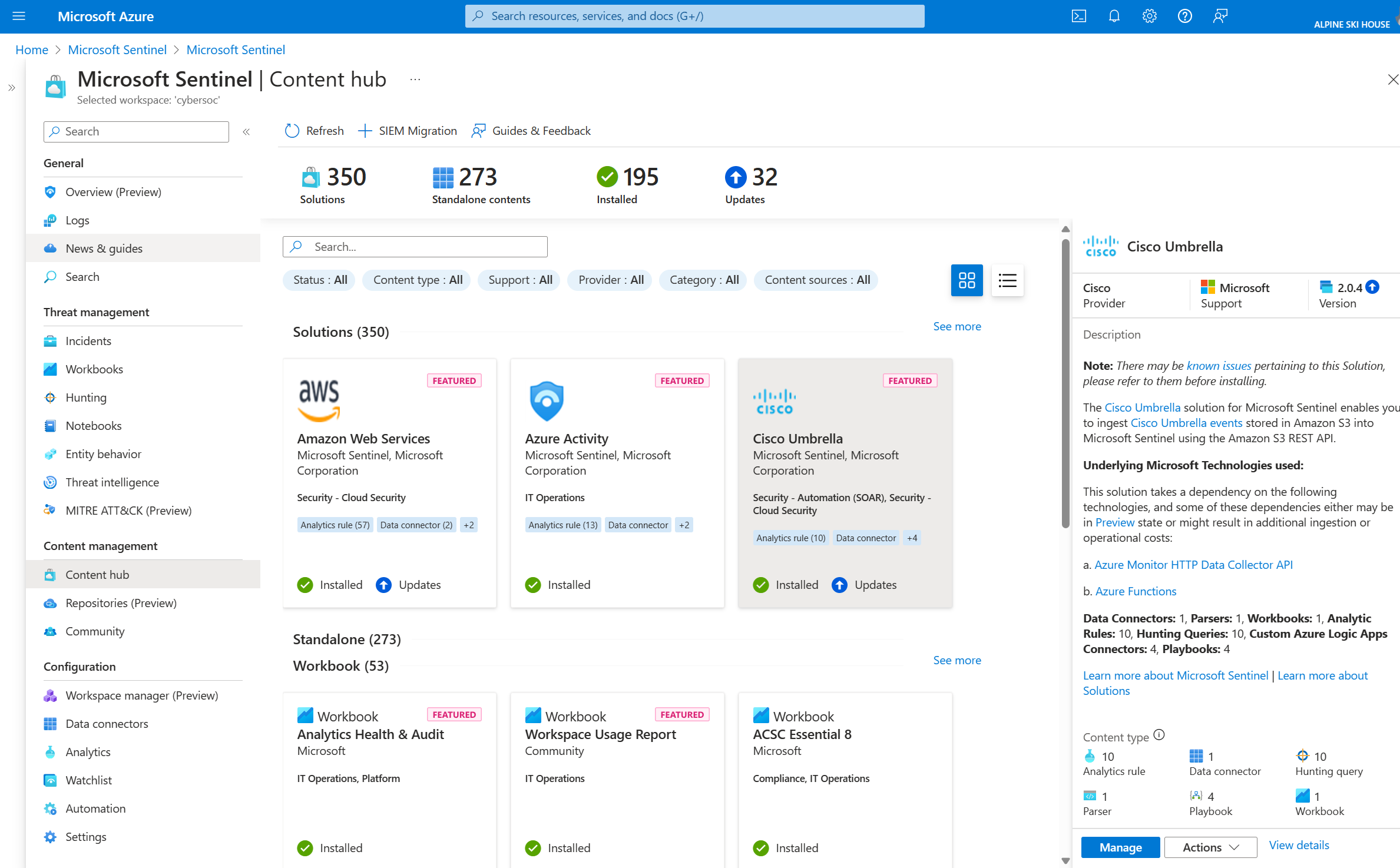
Microsoft Sentinel is a cloud-native SIEM that collects and correlates signals across identities, endpoints, cloud apps, and infrastructure. It includes built-in UEBA, security orchestration, automation, and response (SOAR), threat intelligence, and case management, and runs in the Microsoft Defender portal alongside Microsoft Defender XDR.
For privileged user monitoring, its UEBA baselines normal activity to flag compromised accounts and insider risk that rule-based detections miss. Microsoft Sentinel in the Azure portal is scheduled to retire on March 31, 2027, after which it will be available only in the Defender portal.
Key features include:
- Behavior analytics (UEBA): Baselines normal user and entity activity and flags compromised accounts and insider risk that rule-based detection misses.
- Cross-domain correlation: Correlates signals across identities, endpoints, cloud apps, and infrastructure to detect lateral movement, phishing, and insider threats.
- Data connectors: Ingests data through 400+ connectors, with a codeless connector framework for building custom connectors to third-party sources.
- Built-in SOAR: Provides out-of-the-box playbooks and codeless automation for triage and incident response.
- Sentinel data lake: Stores years of security data in a lower-cost tier that remains available for hunting, investigations, and compliance.
- Security Copilot: Summarizes incidents, drafts Kusto Query Language (KQL) queries, and recommends next steps for analysts.
- Threat intelligence: Combines Microsoft threat signals with third-party feeds in industry-standard formats to enrich alerts.
Limitations (as reported by users on PeerSpot):
- Cost at scale: Users report that costs rise significantly as data ingestion grows, and cost management remains a pain point.
- Query language learning curve: Reviewers find KQL difficult to learn and would like querying to be more user-friendly.
- Third-party integration gaps: Some users report difficulty correlating data from non-Microsoft products, such as firewalls from other vendors.
- Interface and performance: Some reviewers would like a more intuitive interface and faster queries on large data volumes.

Source: Microsoft
3. Splunk Enterprise Security (UEBA)

Best for: Splunk customers adding behavior analytics to ES Premier
Strengths: Entity risk scoring, peer group comparisons, multi-entity correlation
Things to consider: UEBA requires the ES Premier edition; licensing costs can be high
Splunk Enterprise Security (ES) is a SecOps platform that combines SIEM, SOAR, and UEBA. UEBA is a native capability of the ES Premier edition. It uses machine learning to baseline user and entity behavior and detect account misuse, compromised credentials, lateral movement, and data exfiltration.
UEBA is not sold as a standalone product or as an add-on to ES Essentials. It replaces the legacy Splunk User Behavior Analytics (UBA) product, which reached end of sale in December 2025, with end of support scheduled for January 2027.
Key features include:
- Behavioral baselining: Uses machine learning to learn normal behavior for users and entities and detect deviations associated with insider threats and advanced attacks.
- Entity risk scoring: Aggregates risk signals from users, devices, cloud applications, and security layers into a single risk score per user or entity.
- Multi-entity correlation: Correlates behavior across users, devices, endpoints, and cloud applications to detect patterns such as lateral movement and privilege abuse.
- Contextual investigation: Enriches alerts with metadata, peer group comparisons, and historical behavior, with threat timelines and risk heat maps.
- Automated prioritization: Runs multiple machine learning models continuously and ranks security events by risk level.
- Exfiltration detection: Detects data exfiltration through cloud storage, USB, email, and network vectors.
- Native ES integration: Combines UEBA findings with SIEM correlation rules in a centralized incident view and investigation workflow.
- Deployment options: Available for ES Premier in cloud and on-premises deployments, though the available detections currently differ between the two.
Limitations (as reported by users on PeerSpot):
- Licensing cost: Users report that licensing is expensive, especially for organizations ingesting large volumes of data.
- Complex setup: Reviewers describe setup and configuration as complex and tedious, often requiring contact with support.
- Performance and stability: Some users report noticeable lag and stability issues, and that identifying bottlenecks is difficult.
- Upgrade issues: Some reviewers report recurring problems after upgrades in environments with multiple heavy forwarders.

Source: Splunk
4. Securonix UEBA

Best for: Behavior analytics for human, machine, and AI agent identities
Strengths: UEBA and AEBA with privacy masking and approval-based unmasking
Things to consider: Log parsing and onboarding new data sources can be complex
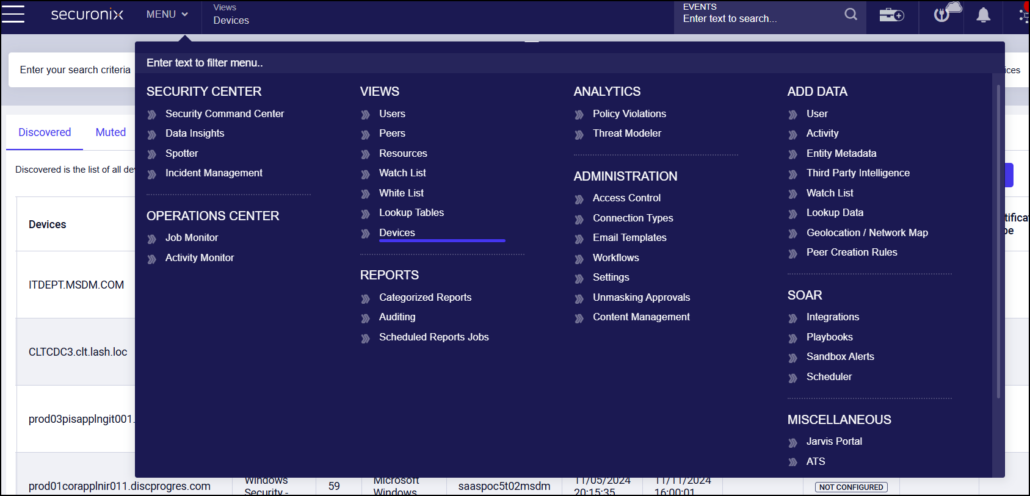
Securonix provides user and entity behavior analytics (UEBA) along with agent behavior analytics (AEBA), which extends behavioral analytics to AI agents and other non-human identities. It correlates identity, access, data movement, and business context into prioritized investigations rather than standalone alerts.
UEBA and AEBA can be deployed within Securonix Unified Defense SIEM, or added to Microsoft Sentinel through Securonix Threat Analytics, which applies more than 2,400 maintained detections to telemetry already in Sentinel.
Key features include:
- Anomaly detection: Identifies rare activity, unusual access, volume spikes, suspicious sequences, privilege misuse, and deviations from individual or peer-group patterns.
- Context enrichment: Adds identity, ownership, asset, location, threat intelligence, data sensitivity, and business context to assess likelihood and impact.
- Identity threat detection: Detects credential abuse, suspicious authentication, impossible travel, privilege escalation, lateral movement, and account misuse.
- Insider Intent Agent: Correlates behavioral, linguistic, contextual, and AI-interaction signals with identity activity, access patterns, and data movement, and produces explainable summaries for authorized teams.
- Privacy and governance controls: Supports data masking and filtering, role-based access, approval-based unmasking, decision trails, and escalation policies for insider-risk investigations.
- Non-human identity monitoring: Monitors service accounts, autonomous agents, and digital workers for changes in access, tool use, API calls, and sensitive-data interactions.
- Low-and-slow threat correlation: Correlates activity across systems and time, including retrospective analysis, to expose multi-stage threats.
Limitations (as reported by users on PeerSpot):
- Customization and parsing: Users report that customization is harder than in other tools and that log parsing can cause compatibility issues at the admin level.
- Onboarding complexity: Reviewers describe initial parsing and setup as complex, which slows onboarding.
- Query performance: Some users report that queries slow down or get stuck with large data volumes, such as growing firewall logs.
- Dashboard flexibility: Some reviewers would like more customizable and informative dashboards.

Source: Securonix
Privileged Access Management and Session Monitoring Solutions
5. Idira Privileged Access Manager (formerly CyberArk Privileged Access Manager)
Best for: Enterprises enforcing zero standing privileges with session control
Strengths: Vaulting, ZSP, JIT access, session isolation, and native ITDR
Things to consider: On-premises upgrades are resource-intensive; reporting is limited
Idira Privileged Access Manager is the privileged access management (PAM) offering from Palo Alto Networks, built on CyberArk technology following the 2026 acquisition and rebrand. It combines credential vaulting, zero standing privileges (ZSP), endpoint privilege controls, and session isolation for workforce users, IT administrators, cloud engineers, and third parties.
Under the ZSP model, identities have no entitlements by default, and ephemeral privileges are created for a task and removed automatically when it ends. Privileged sessions are brokered, isolated, and recorded across infrastructure and SaaS applications.
Key features include:
- Zero standing privileges: Creates context-aware, ephemeral privileges when a task starts and destroys them automatically when work ends, leaving no dormant credentials.
- Infrastructure and cloud access: Provides agentless, brokered access to AWS, Azure, Google Cloud, and Kubernetes through native CLI and consoles, with just-in-time (JIT) entitlements.
- Session control and audit: Isolates and records sensitive sessions, with AI-generated summaries that surface anomalous commands in real time.
- Vaulting and rotation: Vaults and rotates credentials for system-level accounts and injects them at login so users never handle them.
- Identity threat detection and response (ITDR): Analyzes identity signals and can terminate risky sessions or require stronger authentication when lateral movement or vault sweeping is detected.
- Endpoint privilege security: Removes standing local administrator rights on Windows, macOS, and Linux and replaces them with policy-based application elevation.
- Third-party access: Provides browser-based, task-scoped JIT access for vendors without a VPN, with every session isolated and recorded.
- Lifecycle automation: Adjusts entitlements and vaulted credentials automatically on joiner, mover, and leaver events.
Limitations (as reported by users on PeerSpot):
- Limited reporting: Reviewers note that only a small number of reports are available out of the box.
- Upgrade effort: Users report that upgrading on-premises components such as the Privileged Session Manager and vault is time-consuming and resource-intensive.
- Support response times: Some reviewers report slow first-level support response in critical situations, while higher support tiers are more effective.
- Integration coverage: Users would like more plugin connectors and integrations with other security tools and firewalls.
6. BeyondTrust Password Safe

Best for: Privileged password, secrets, and session management in one solution
Strengths: Auto-discovery, smart rules, live session lock/terminate, JIT access
Things to consider: Session management is stronger for SSH/RDP than web applications
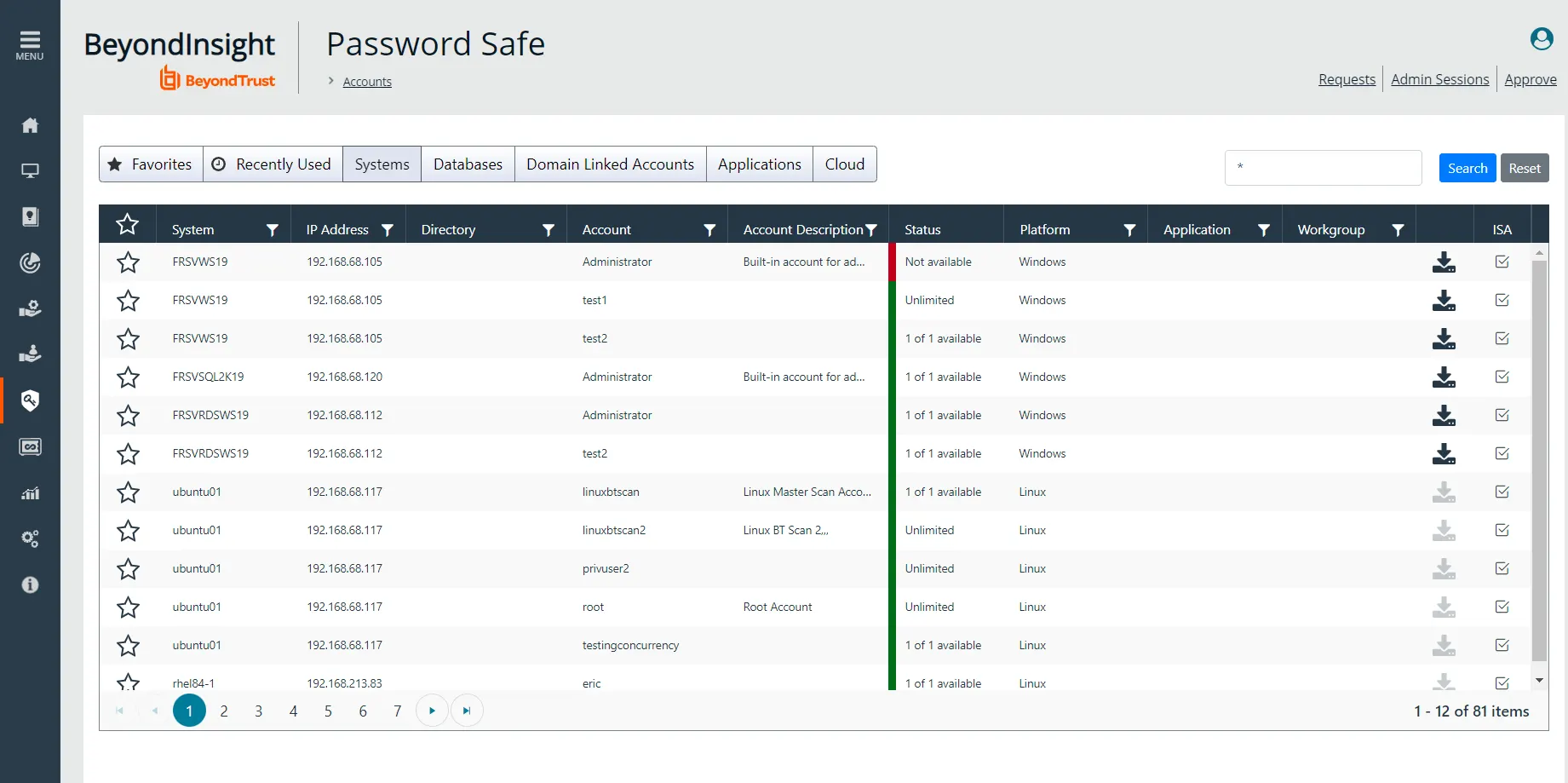
BeyondTrust Password Safe combines privileged account and session management (PASM) with secrets management. It discovers, onboards, vaults, and rotates credentials, keys, and secrets used by people, machines, and AI agents, and logs and monitors privileged sessions for compliance and forensic review.
It can be deployed in AWS or Azure, or as a virtual or physical appliance, and is part of the BeyondTrust Pathfinder Platform. It can be bundled with Privileged Remote Access to cover vendor privileged access use cases.
Key features include:
- Automated discovery and onboarding: Scans and profiles applications and assets, including SSH keys, and auto-onboards privileged, shared, and service accounts.
- Credential and secrets management: Secures privileged passwords, DevOps secrets, SSH keys, certificates, API keys, and tokens, with automated password rotation.
- Live session management: Logs and monitors privileged sessions, including metadata, and lets administrators record, lock, or terminate sessions showing suspicious behavior.
- Just-in-time access control: Evaluates the day, date, time, and location of access requests from users, machines, and AI agents across on-premises and cloud environments.
- Zero Trust Enclave gateway: Brokers privileged sessions through a gateway so no user or machine connects directly, with all session activity monitored.
- Auditing and analytics: Provides audit trails, session reports, and credential analytics through the BeyondInsight console.
- Application password management: Removes hard-coded credentials from scripts and code and controls access through REST APIs.
- Integrations: Connects with IAM, SIEM, RPA, and ITSM platforms, including certified integrations with SailPoint and ServiceNow.
Limitations (as reported by users on PeerSpot):
- Upgrade stability: Users report stability issues during upgrades and a lengthy upgrade process compared to other modules.
- Web application sessions: Reviewers find session management robust for SSH and RDP but less mature for other and web-based applications.
- Session disconnects: Some users report RDP sessions disconnecting without error notifications.
- Initial implementation: Reviewers note that initial server implementation tasks could be simpler.

Source: BeyondTrust
7. Delinea Secret Server

Best for: Organizations needing a PAM vault with discovery and session recording
Strengths: Encrypted vault, automated rotation, check-in/out, session monitoring
Things to consider: Users report slow support and downtime during updates
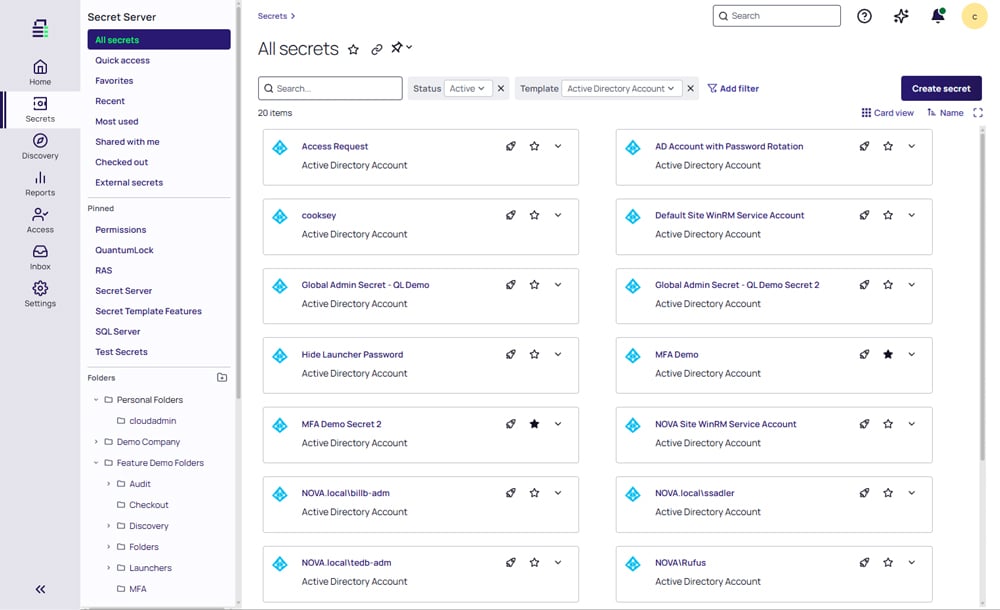
Delinea Secret Server is an enterprise privileged access management (PAM) vault that discovers, secures, monitors, and audits privileged accounts. It covers AI, machine, service, application, admin, and root accounts, with built-in automation for discovery, password rotation, and session monitoring.
Secret Server is the foundation of the Delinea Platform, which centralizes credential management for human, machine, and AI identities. Privileged sessions are recorded with detailed audit trails and customizable reports, supported by AI-driven session analysis.
Key features include:
- Encrypted vault: Stores privileged account credentials in an encrypted vault that enforces password management controls for authorized users.
- Account discovery: Identifies and inventories privileged accounts across the environment and brings them under centralized management.
- Automated credential management: Handles password creation, rotation, and expiration through templates, with check-in/out, role-based access, and approval workflows.
- Session monitoring: Records and monitors privileged sessions with detailed audit trails, customizable reports, and AI-driven session analysis.
- Resilient Secrets: Replicates credentials so they remain accessible during outages for business continuity.
- Centralized control: Manages privileged credentials for human, machine, and AI identities from the unified Delinea Platform.
Limitations (as reported by users on PeerSpot):
- Technical support: Users report that support can be slow or limited when troubleshooting complex configurations, and bug fixes can take time.
- Update downtime: Reviewers note that updates require downtime and occasionally fail, requiring restores from backup.
- Web application secrets: Some users report that session management does not apply to web password filler templates and that accessing web URL secrets can fail.
- Mobile integration: Reviewers would like better integration with password managers on mobile devices.

Source: Delinea
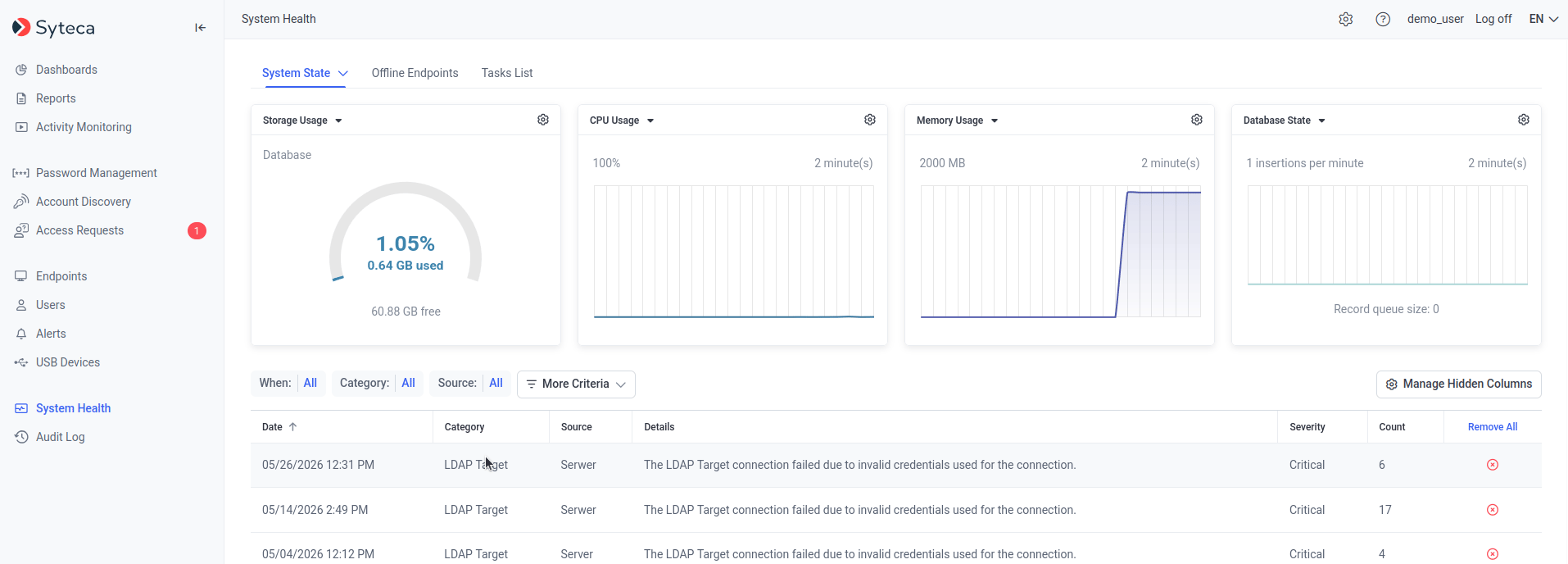
8. Syteca

Best for: Privileged user activity monitoring with session recording and PAM
Strengths: Session recording, keystroke logs, real-time alerts, pseudonymization
Things to consider: Session recordings require significant storage capacity
Syteca is a cybersecurity platform that combines user activity monitoring (UAM) with privileged access management (PAM). It monitors privileged, regular, and external users, either recording entire sessions or starting monitoring automatically when specific actions occur, such as typing certain keywords.
It captures on-screen activity, visited URLs, launched applications, keystrokes and clipboard data, window titles, file uploads, USB connections, and executed Linux commands. A pseudonymization mode hides personal data in monitoring results. It supports Windows, macOS, and Linux across on-premises, cloud, and virtual environments.
Key features include:
- User session recording: Records and archives privileged user sessions to maintain a detailed activity log for audits and investigations.
- Keystroke monitoring: Logs keystrokes entered by privileged users to support accountability and detect risky activity.
- Real-time alerts and incident response: Generates rule-based alerts for suspicious actions or policy violations, with manual or automated response workflows.
- RDP and SSH access control: Manages and records RDP and SSH sessions to control remote access to infrastructure.
- Uninterrupted monitoring: Continues tracking privileged user activity even if the connection to the server is lost.
- Forensic evidence export: Exports collected data in an immutable format for external forensic investigations.
- Account discovery and JIT access: Discovers unmanaged privileged accounts and enforces least privilege with granular access management and just-in-time controls.
- Integrations: Connects with SIEM platforms, ticketing systems, and SSO software.
Limitations (as reported by users on GetApp):
- Storage requirements: Users report that session recordings consume significant disk space, requiring added storage capacity.
- Deployment options: Some reviewers would like more options for deploying the on-premises application on Linux, not only the agent.
- High availability and integrations: Reviewers note that high availability and integration capabilities could be improved.

Source: Syteca
Conclusion
Monitoring privileged users and executives is critical for protecting high-value accounts and safeguarding sensitive organizational assets. By establishing clear behavioral baselines and maintaining continuous oversight, security teams can rapidly detect unusual activities, mitigate account compromise risks, and prevent insider threats before severe damage occurs.
Learn More About Exabeam
Learn about the Exabeam platform and expand your knowledge of information security with our collection of white papers, podcasts, webinars, and more.
- Webinar
The Insider Risk Program Just Got Bigger: How Digital Workers Are Changing Identity, Behavior, Ownership, and...
-
 Blog
What Is the Difference Between Exabeam and CrowdStrike for SIEM and Security Operations?
- Show More